
About 6 months ago, Steam put out for a beta for a Community Market update. It took them a while, but starting today, all of those updates are now available for every person.
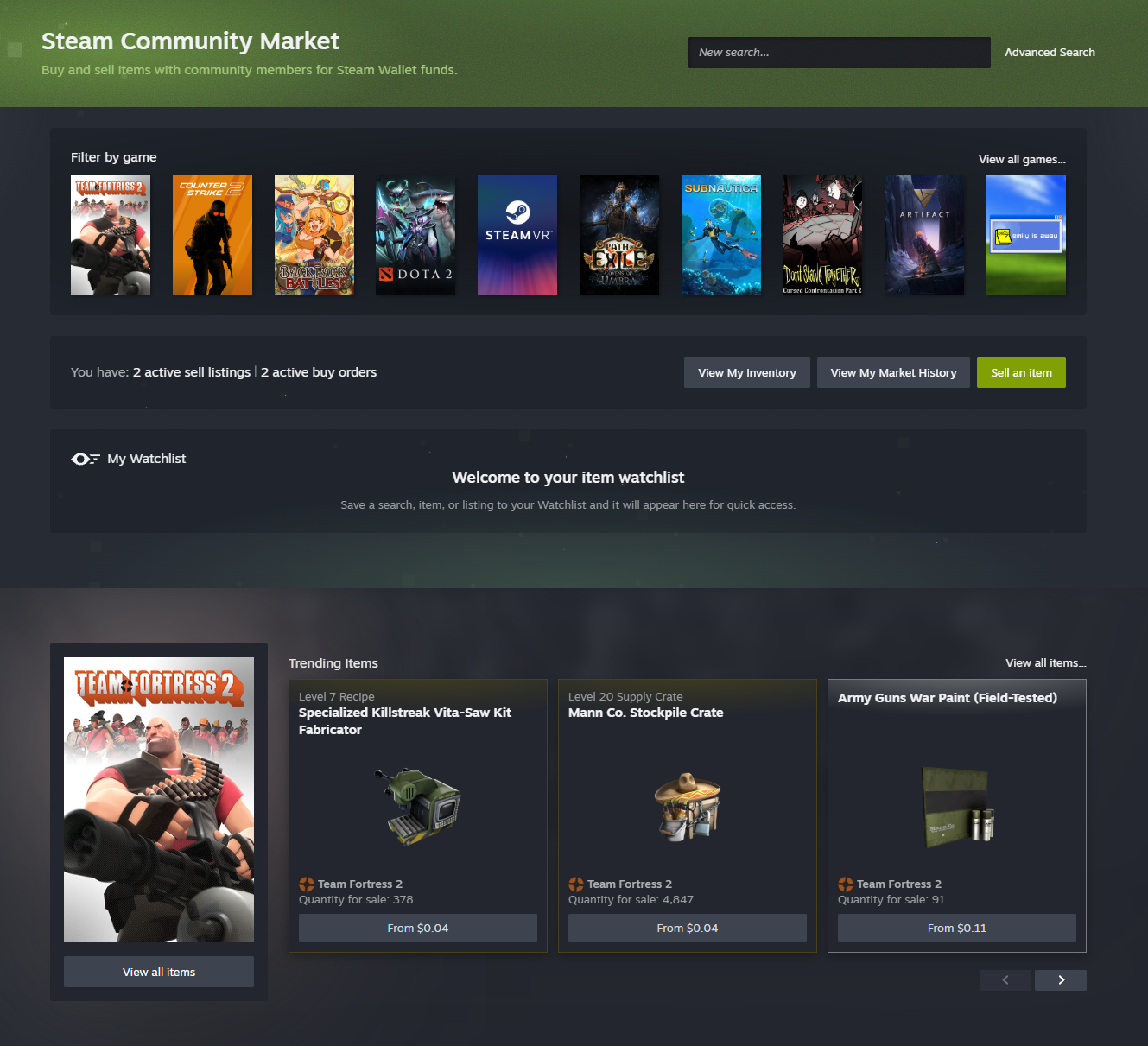
The home page for the market has now received a makeover to load faster and do a better job at presenting more relevant items to you. Additionally, there's a new Market Wishlist, which lets you save results to be able to search them quicker, and you can reorder them however you want.
There's also a new section highlighting Steam Community items (trading cards, emotes, and profile backgrounds), and the ability to change an item's listing price without needing to relist the item.
Quote From Valve In our last Community Market update we released a beta with new item pages, listings, and search to make better use of game-provided item data. Today we're launching a brand new Market Home page and a handful of improvements centered on tracking items and managing your listings.
All of these updates are available to everyone starting today. Here's what's new:
A New Market Home Page
We've rebuilt the Market Home to load faster and present you with the most relevant items from your games. Instead of the Popular Items section, which was a small and static slice of millions of items, Trending Items will give you a glimpse into what’s new in the games you’re currently playing.
The game links move up to the top spot and are now personalized, so rather than a flat and unchanging list, you get quick access to the items you're most likely to be interested in.
My Watchlist
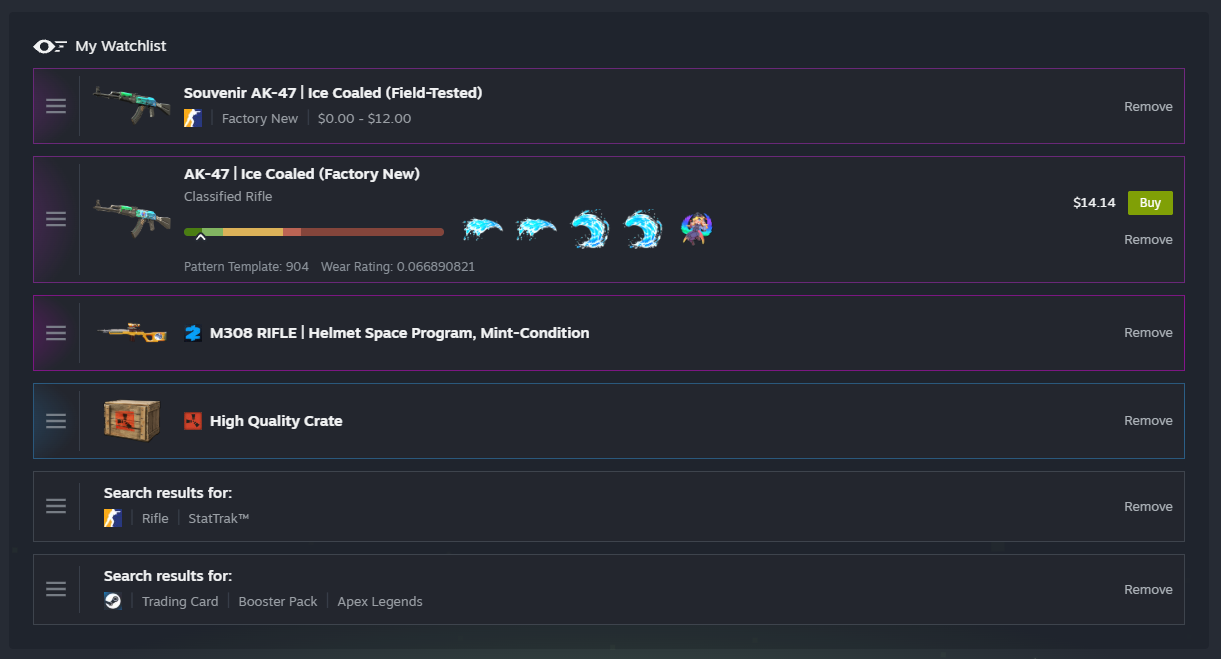
Keeping an eye on a few items used to mean a lot of bookmarks or a lot of repetitive searching. The new Market Watchlist lets you save things for quick access from the Market home page.
You can save:
A specific listing
An item type, including filters you've applied
A search, including filters and search text
So if you're waiting on a particular item with a particular set of filters, you can set up the filters once and check those results whenever you like.
Watchlist entries can be given custom names, which helps when two saved searches look similar. You can reorder your Watchlist however you want.
Steam Community Items
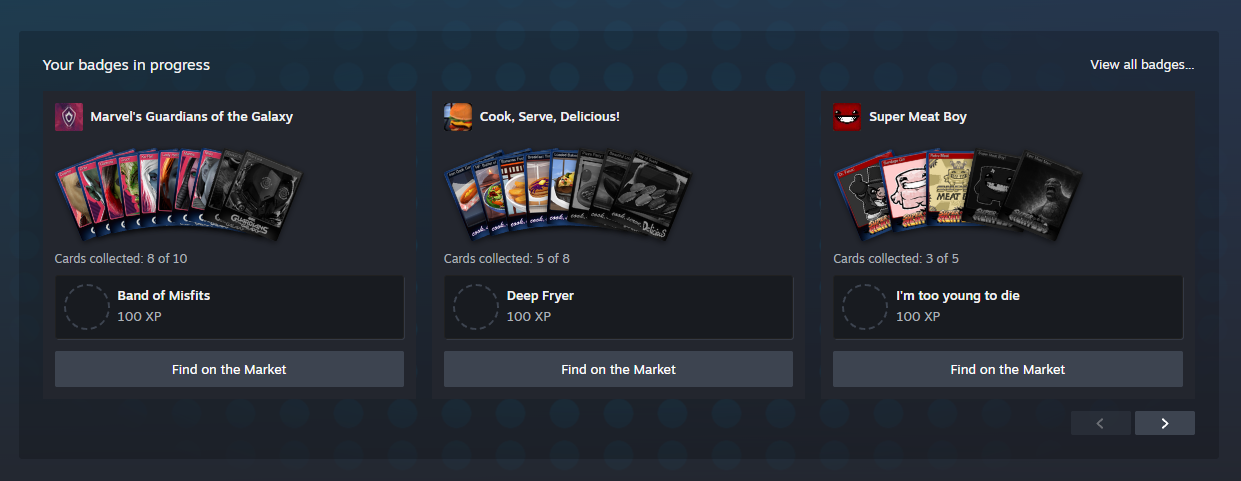
You'll also find a new section highlighting Steam Community items (trading cards, emotes, and profile backgrounds) from the games you play.
If you have any badges in progress we'll feature them here, making it easy to pick up the remaining cards.
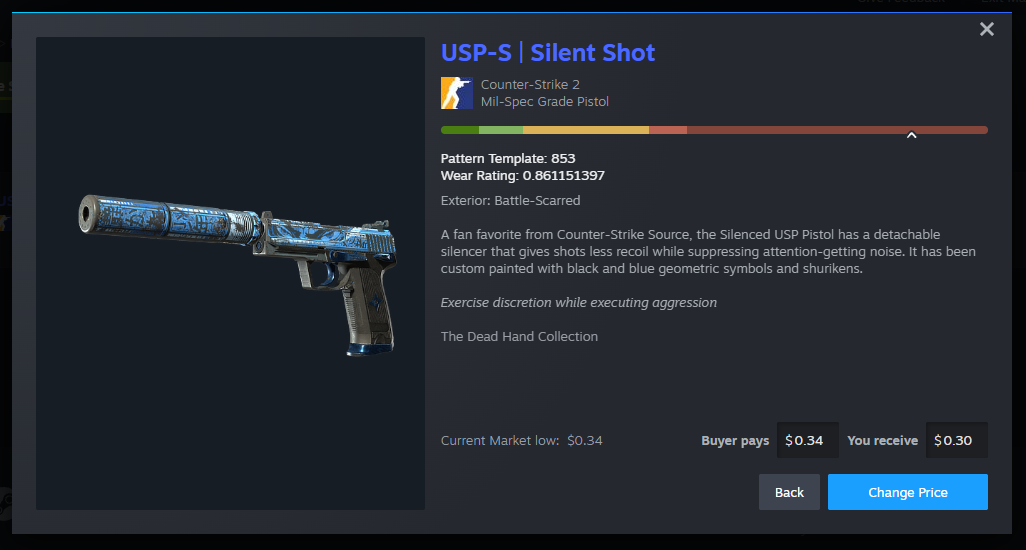
Change Your Price Without Relisting
You can now reprice a live listing. Just pick a new price and you're done.
List View
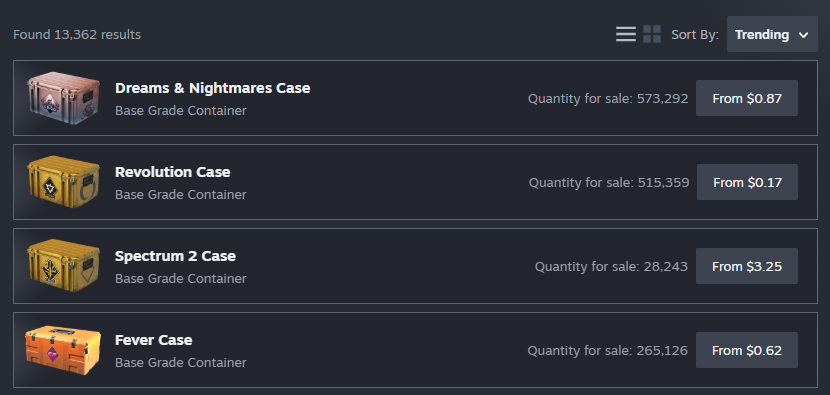
Search results and buy/sell listings now have a list view option in addition to the card view.
Simpler Mobile Confirmations
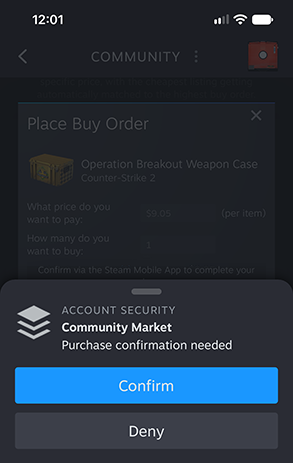
Buying or selling from the Steam Mobile App? If that's also the device with your Steam Guard Mobile Authenticator, the app will now ask you to confirm inline. No need for you to leave the Market and navigate to the Confirmations page. Buying and selling from the mobile app should feel a lot smoother now.
And more
My Listings and History are now on a dedicated page, with a summary on the Market Home page
"Trending", or items that are newly popular, is now a sort option for results and buy/sell listings
Updated Sell Dialog with the newer graphs, with improved usability on mobile devices
Counter-Strike 2 containers show and link to their possible contents
Sort by Popularity and Sort by Price return better results, faster
All Market pages load faster and are more responsive
For Developers
For game items on the Steam Community Market, you can now configure a custom fee percentage for Market purchases, along an optional fee maximum for each sale. Read more.
FAQ
How do I get the new features?
These changes are now live for everyone in the Steam Community Market.
Where can I give feedback?
We'd love to hear what you think in the Steam Community Market discussions.
What do you think about the new Community Market update? Let us know in the comments below.

Leave a Comment