Visit All the Hearthstone Expansions via 'Reach the Portal Room' Animated Wallpaper by Sydney

Published 3 years, 9 months ago by

Hearthstone player and enthusiast, Sydney, has created an amazing alive experience via Wallpaper Engine that let's you re-visit all of the 23 Hearthstone expansions right from your desktop!

Quote From Sydney

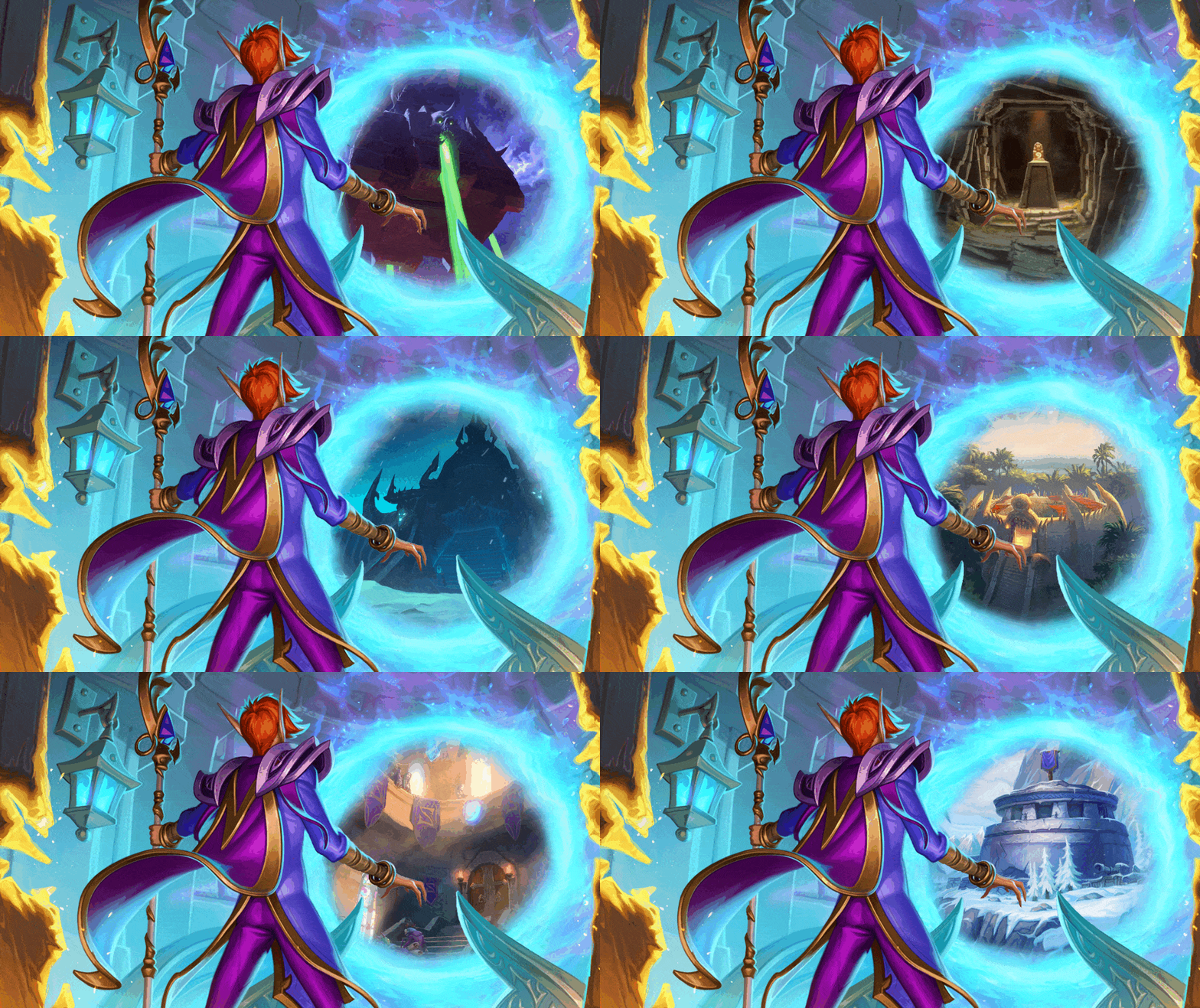
Hey everyone! I just finished a VERY ambitious #WallpaperEngine project for @PlayHearthstone. The portal from the Reach the Portal Room card art now changes between locations from all 23 expansions. The project will be up on Steam Workshop soon and will be in the replies.
The wallpaper is now available on Steam Workshop.

We created a preview so you can see all the images. The real thing has animated transitions and is of better quality.


How to Download 'Reach the Portal Room' Wallpaper

  1. You will have to buy Wallpaper Engine on Steam ($3.99 USD).
  2. Install Wallpaper Engine via Steam on your computer.
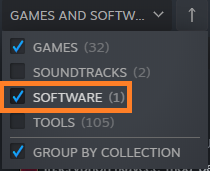
    • If you don't see the app in your Library, make sure you have the "Software" filter on.
  3. Launch Wallpaper Engine, you will be guided through initial app setup.
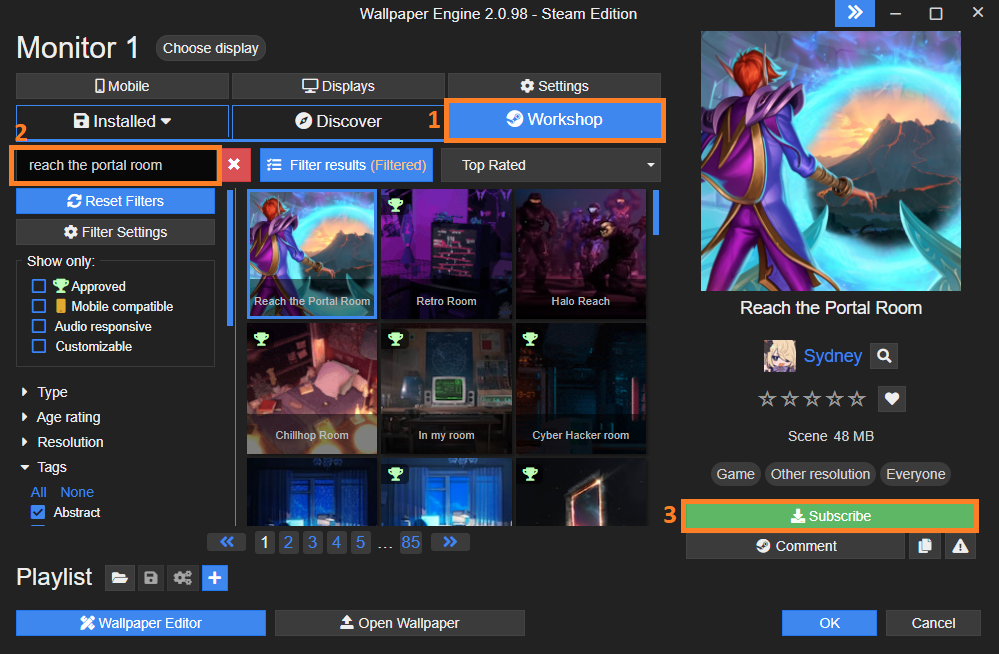
  4. In the app, navigate to "Workshop" (1), search for "Reach the Portal Room" (2) and Subscribe (3).
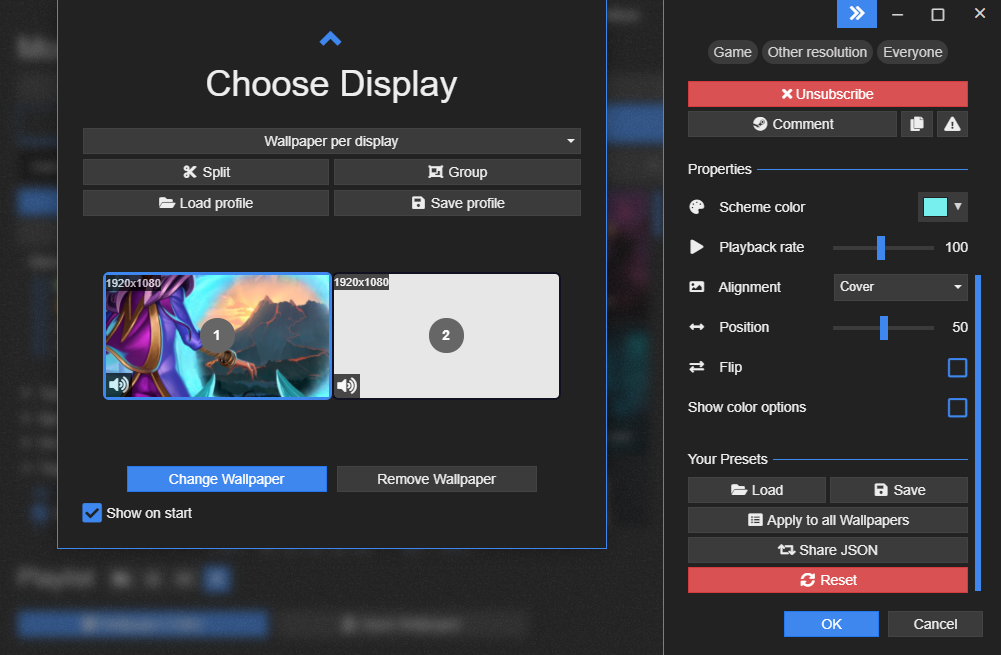
  5. Under "Displays", you can change your displays' settings and to the right, there are additional options to play with to adjust the wallpaper to your liking.
  6. Confirm "OK" and you are done! Enjoy your new wallpaper :)

I didn't know about Wallpaper Engine until now and I'm glad I got introduced to it via this amazing piece of art. Tons of options for wallpapers and more importantly, the control over wallpaper setup across multiple screens which is super easy to do.

If you have any suggestions for cool WE wallpapers, feel free to share them in the comments. Within a reason! There appears to be TONS of anime :D

Similar Content
Custom Hearthstone
Remove Ads - Go Premium

Comments

Leave a Comment

You must be signed in to leave a comment. Sign in here.