Trying to revive the good old gaming styles from your childhood with the N64? While you can still find the console here and there, the truth is you don’t necessarily need it in order to enjoy your favorite childhood games.
Whether you’re after a nostalgic feeling or just want to revive some old memories, you can now try again Super Mario 64, GoldenEye 007, Diddy Kong Racing, The Legend of Zelda: Ocarina of Time or Mario Kart 64 without having to look everywhere for a console or controller. Here’s how to do it.
Things You’ll Need
There are two ways to get your favorite N64 games to run again without having a console or controller.
For the easy way, you’ll need:
- An Internet connections
- A computer that’s connected
For the hard way, you’ll need:
- Technical expertise
- Cables and wires
- Original games
Now, unless you’re a computer genius with lots of resources, there are no reasons to go the hard way, which is likely to take a lot of time too, so let’s explore the easy option.
Get an Emulator
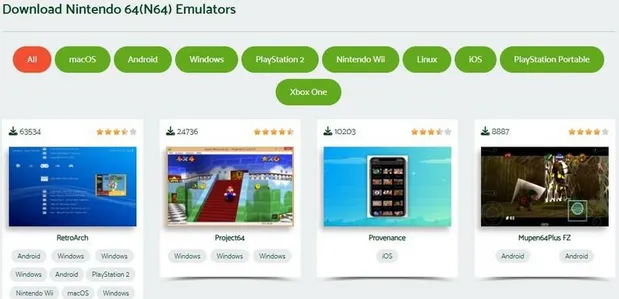
An emulator is a piece of software that replicates the N64 operating system. Many of these programs are available for free, yet you can also find emulators with premium features. If you are not sure where to start, here are some of the best options for an N64 online emulator:
- Project64
- Mupen64Plus
- RetroArch
- UltraHLE
- Sixtyforce
- Nemu64
- TR64
- Virtual Console
- Delta
Some emulators are specifically made for N64; others are more versatile. For example, RetroArch can also replicate the operating systems of other consoles as well. Officially, it's not described as an emulator, yet it works like one.
When downloading an emulator, make sure you do it from the official website or from a trusted source. Also, you should also download the latest version, as it’s less likely to have any bugs and often includes new features or compatibility improvements... Plus, chances are it’s compatible with more N64 games.
That’s another aspect you need to remember. Some emulators are great at compiling certain games. Some others work better with other games. Based on what you want to play, you may need to try out a few different options.
Once downloaded, the emulator can be installed like any program. There’s a sequence of windows, click next a few times, choose where you want to install the emulator and you’re ready to go. In theory, it’s a fairly simple program that only has a few features, nothing too fancy or sophisticated.
Find Your Favorite Games
Now, the hard method implies having the original games and making images based on them. A technical approach that even computer savvy users may struggle with. You’ll need a cartridge reader and the right tools to extract the game data and save it in a compatible format for your emulator.
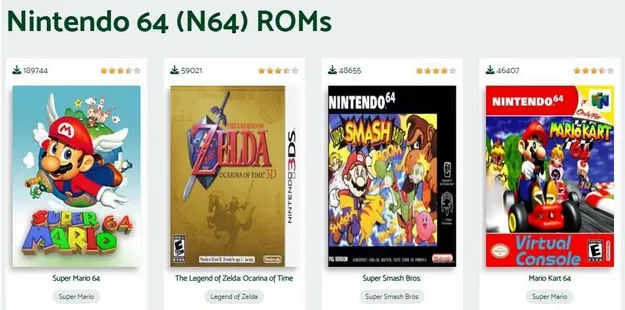
The easy way implies downloading these old school games for free. You can find N64 ROMs regardless of what games you’re after. At the same time, you should stick to reputable sources only, rather than search over the Internet for random links. Reputable websites will most likely put out the original game, rather than a modified copy.
To help yourself later, download all the games you want in the same folder. It will be easier to find them when you need them. Also, you need to ensure you download games for N64. Downloading games for a different console won’t work well with your emulator, unless you get a more general one.
Games should be in an image format. If they’re not, you can usually convert them. Sometimes, they might be zipped. Simply extract all the files in the same folder.
How to Run Your Favorite Games
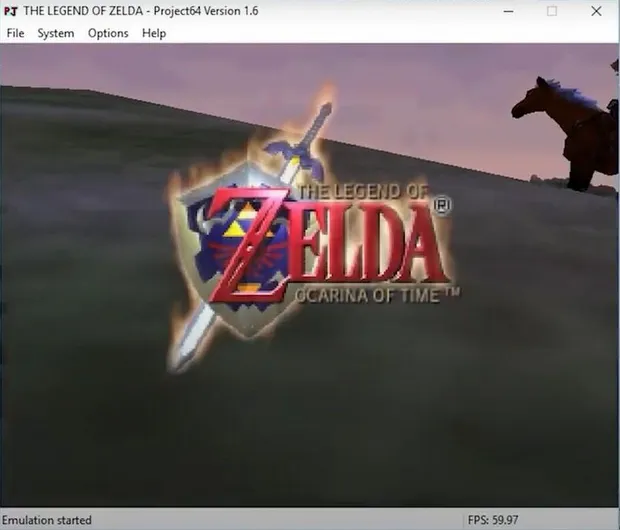
Once you have a nice collection of games, you can start playing right away. Run the emulator, then try to find the option to load something. It’s usually under the File menu, yet you may find individual buttons too.
In there, you’ll have to browse to the folder where you downloaded everything. Pick a game and run it. You should recognize the logo and starting credits as soon as the game starts to load.
Despite not having a controller, you’ll be able to use the keyboard for controls. Sure, if you can get a controller, you can still hook it up. Go through the settings and make it the primary option for controls.
Based on what emulator you get, you can usually tweak the settings based on your preferences. Many emulators support a wide range of controllers, and you can customize the button layout to match your preferences.
For example, apart from hooking a controller, you’ll also be able to change some of the controls. You can change the resolution, but also the full screen option. Some emulators may even allow you to save or load games, even if the original releases didn’t have such features.
Of course, this isn’t an original solution. Compared to the classic N64 console, you may still experience some bugs every now and then, as some emulators are better than others. It depends on what games you want to play, so feel free to experiment until you find the perfect option.
With just a few simple steps, you can enjoy classic N64 titles on your PC and you don't need to use the original console to relive your favorite adventures.
Comments
No comments yet
Be the first to share your thoughts!