OpenRCT2 v0.4.28 has now been released. This update is quite a small one, consisting of mostly a few tiny changes:
- New footpath dragging tool, allowing you to create giant blocks of footpaths with a single click-and-drag movement.
- Paths on ground in SV4/SC4 no longer block supports.
- If you don't know what this means, this means that parks from RollerCoaster Tycoon 1 no longer use RollerCoaster Tycoon 2's algorithm for drawing path supports, which means that the weird behavior of seeing large floating chunks of path are no longer present. This is particularly notable in Blackpool Pleasure Beach.
- SV4 and SC4 refers to the save files made with RollerCoaster Tycoon 1's saving format. This same naming convention is seen on Chris Sawyer's Locomotion, which uses SV5 and SC5, and RollerCoaster Tycoon 2 which uses SV6 and SC6.
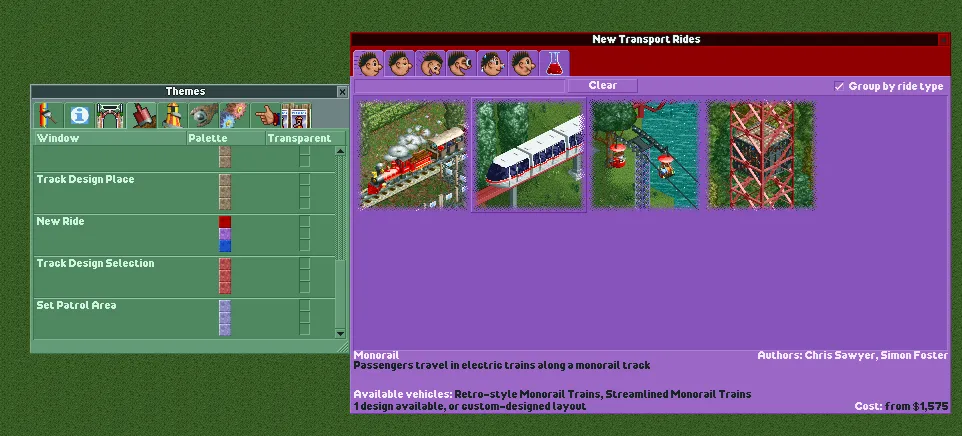
- Game windows can now be rethemed. - The OpenRCT2 blog only points out the "Recent Messages" window, but in fact, all window types can be rethemed.
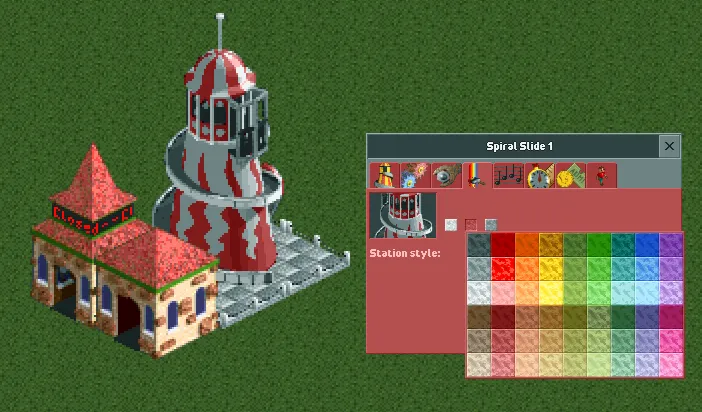
- Color options with "Enlarged UI" enabled have now been... enlarged.
- Some scenarios where the queue lines and exit paths of rides were placed incorrectly have been corrected.
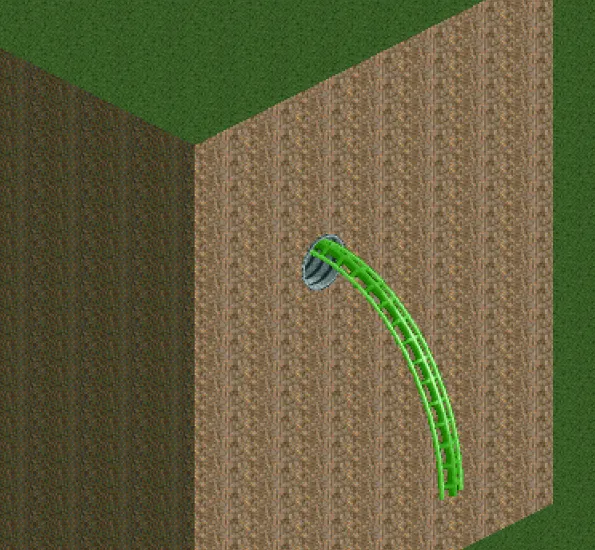
- The tunnels on some coaster types have been lowered to look more realistic.
Updated OpenLauncher
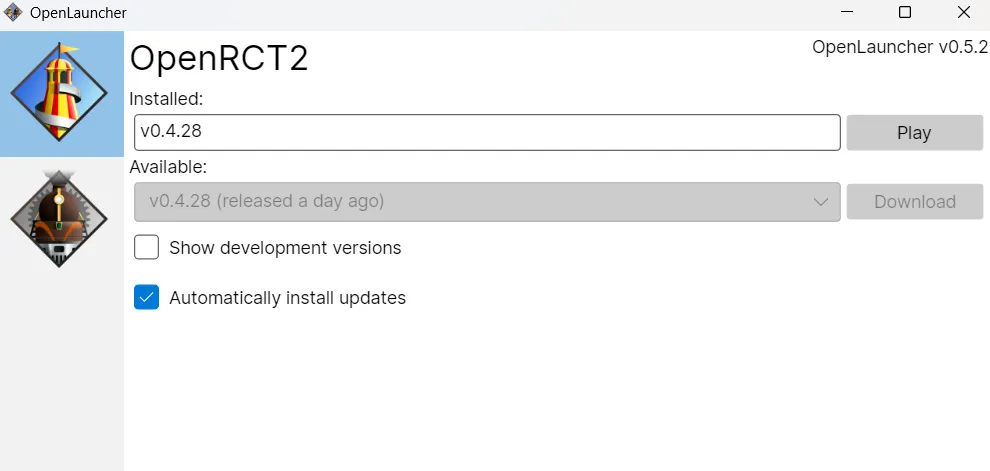
OpenLauncher has received an update v0.5.2. What does this change have over the previous version? As far as I can tell, absolutely nothing. There however have been reports of the launcher failing to update. If you're having trouble getting the launcher to automatically update, try downloading the new version manually.
New Footpath Dragging Tool
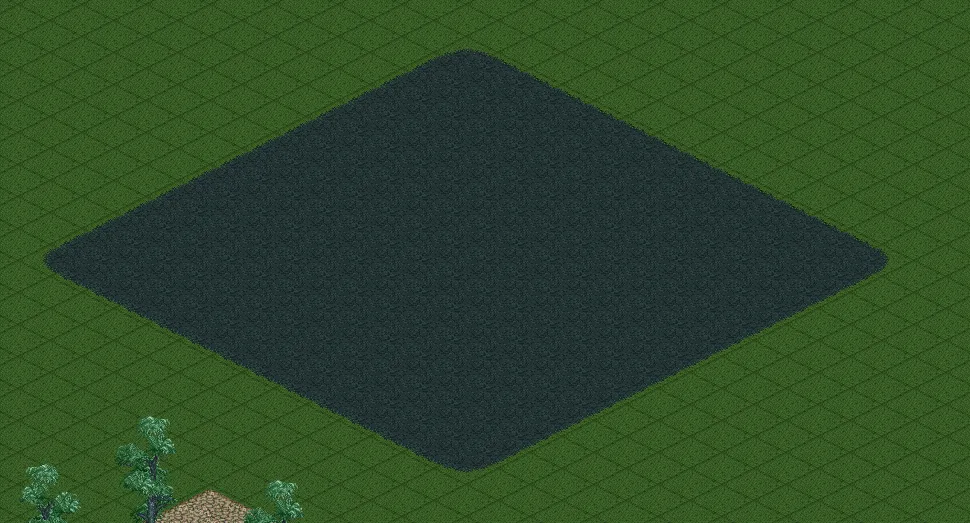
A new feature added to this version of OpenRCT2 is the ability to draw and drag huge chunks of footpaths on the ground. To do this, open the path tool and click this button at the bottom.
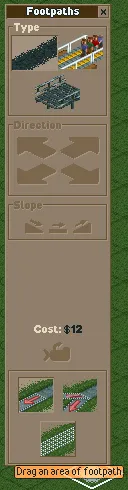
Then click-and-drag an area on the ground like this.
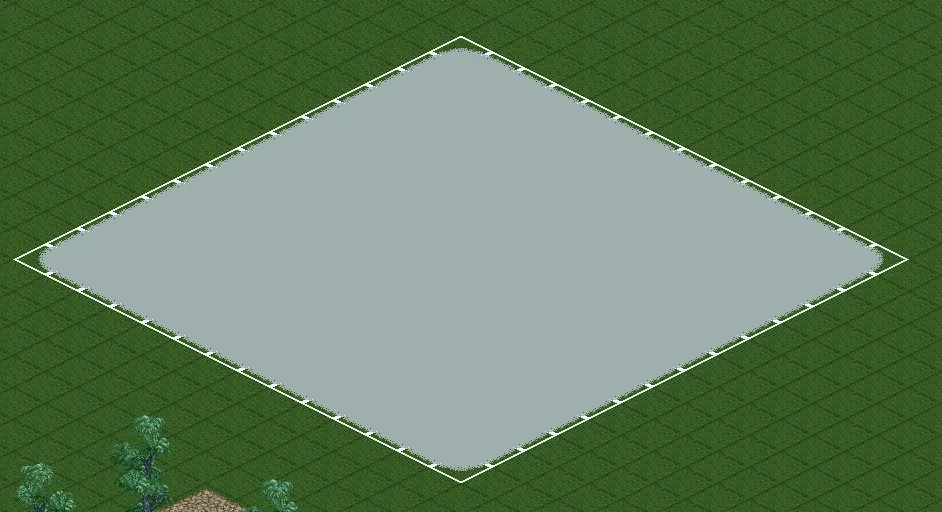
Let go of the mouse and, lo and behold, you have a giant path square chunk.
Game Windows Can Now Be Rethemed
The color scheme of the original game's windows is somewhat of an icon, much like... literally everything else in that game.
But if you want to give the windows your own splash of color, now you can do that. In the options menu, you can now add new theme types, which will allow you to change the window colors of every different window in that theme.
Enlarged Color Options in Enlarged UI Mode
But those color option squares are a little bit small, aren't they? Don't worry because this update has got your back. With the Enlarged UI mode enabled, all of the color choices for everything become enlarged.
Corrected Misplaced Entry and Exit Paths In Some Scenarios
There were a few select scenarios in the original first two games that had rides with entrance and exit paths swapped around in a few places. One such example of this is the Le Tour des Jardins in Six Flags Holland. Where the developers saw fit, this was changed.
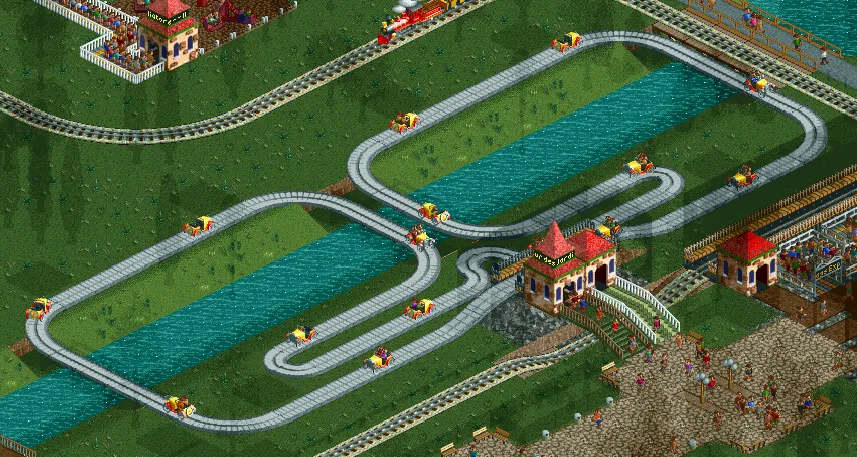

Top = Vanilla RCT2/Older versions of OpenRCT2
Bottom = OpenRCT2 as of version 0.4.28
Depending on how you view things, this may be seen as either a quality-of-life enhancement or a change that reduces the amount of congruency that it has with the original game, which is a bit ironic since the last patch changed OpenRCT2's pricing algorithm seemingly as an attempt to improve that congruency.
Quarter Loop Tunnels Lowered
Previously, tunnel entrances for quarter loops were placed too high, which would give the sensation that guests would hit their head as they went through the track. To correct this, the tunnels for these track pieces have been lowered, so they now sit on the track.
Full blog post down below
Quote From Aaron Van Geffen With Halloween behind us, there is one figure who has sampled a little too much of the candy. Of course, it's Mr. Creosote!
This month's release is full of nice new tools, both for normal players and power users. The complete changelog is listed below.
- Feature: [#25286] Footpath area dragging tool.
- Feature: [#25379] Add an option to the command line screenshot function to draw debug segment heights.
- Improved: [#21375] The `load_object` console command now allows loading JSON objects.
- Improved: [#25297] Paths on the ground in SV4/SC4 no longer block supports of the paths above.
- Improved: [#25349] ‘Recent Messages’ window can now be fully themed.
- Improved: [#25433] Colour dropdown now uses bigger images in Enlarged UI mode.
- Change: [#25089] Peep actions and animations that cause them to stop moving no longer trigger when they are on a level crossing.
- Change: [#25337] Placing track designs with scenery that is obstructed no longer disables all of the scenery.
- Fix: [#20198] Guest inventory from RCT1 base game saves is not imported.
- Fix: [#20486] Multiplayer desync when placing track designs without any scenery.
- Fix: [#22779, #25330] Incorrect queue paths in Nevermore Park and Six Flags Holland scenarios (bug in the original scenarios).
- Fix: [#24975] The Corkscrew and LIM Launched (original bug) roller coaster quarter loop tunnels are too high.
- Fix: [#25139] Steam locomotive and tram claxons can sound louder than normal when approaching crossings that span multiple tiles.
- Fix: [#25190] Inserting a block brake while a coaster is simulating will cause the simulation to behave strangely.
- Fix: [#25206] System file picker does not show up on the Steam Deck.
- Fix: [#25272] Text colour dropdown in the Banner window is too narrow, resulting in truncated labels.
- Fix: [#25299] The Mine Train Coaster left large helix draws incorrect sprites at certain angles (original bug).
- Fix: [#25328] Spiral Slide in Blackpool Pleasure Beach has its entrance and exit the wrong way round (bug in the original scenario).
- Fix: [#25342] The Go-Karts medium right gentle sloped turn does not have a tunnel at the end.
- Fix: [#25349] Items in Recent Messages are too narrow if there is no scrollbar visible.
- Fix: [#25350] The scrolling intro background switches colour halfway through (original bug).
- Fix: [#25350] When skipping the scrolling intro, the screen does not get cleared properly.
- Fix: [#25350] Scrolling intro cannot be skipped using a mouse click.
- Fix: [#25358] The Stand Up Roller Coaster left corkscrew does not block supports correctly.
- Fix: [#25363] The Mine Train Coaster flat-to-steep track pieces do not block all metal supports.
- Fix: [#25369] The Go-Karts medium turns and small flat and sloped turns do not block metal supports correctly.
- Fix: [#25370] The Hybrid Coaster diagonal brakes and block brakes do not block metal supports consistently.
- Fix: [#25371] The Wooden Roller Coaster small banked turns block too many metal supports.
- Fix: [#25378] The land tool sometimes allows land to be raised through a maze.
- Fix: [#25380] The Lay-down Roller Coaster left corkscrew supports are incorrect at one angle (original bug).
- Fix: [#25388] The Shortcut Keys window uses the wrong colours for separators, scrollbars and buttons.
- Fix: [#25401] Mazes can be built 2 units higher than their support limits.
- Fix: [#25404] Guests that have been removed with the remove all guests cheat will still be visible if they were sliding down the Spiral Slide.
- Fix: [#25410] Guest flags (e.g. tracking) not imported from RCT1.
Our great friend, Deurklink, has again helped on making a video with the notable changes for this release:
Download
- Download release
v0.4.28 — Windows — 74.8 MiB — SignedWe would like to thank everyone who contributed with code, testing, translations, bug reports and everything else. We would also like to thank our sponsors:
- Digital Ocean, for hosting the multiplayer master server and our infrastructure
- Backtrace, for handling our automated crash reports
- JetBrains, for providing us with development software
- Github, for handling our development and issue tracker
- SignPath, for providing a free certificate to sign our builds
If you're interested in contributing to OpenRCT2, feel free to join us on Discord.
You can also sponsor OpenRCT2 team members:
- https://github.com/sponsors/IntelOrca
- https://github.com/sponsors/janisozaur
- https://github.com/sponsors/broxzier
- https://github.com/sponsors/Gymnasiast
- https://buymeacoffee.com/zehmatt
On behalf of the OpenRCT2 team: happy building!
What do you think of this OpenRCT2 update? Let us know your thoughts in the comments below.
Leave a Comment