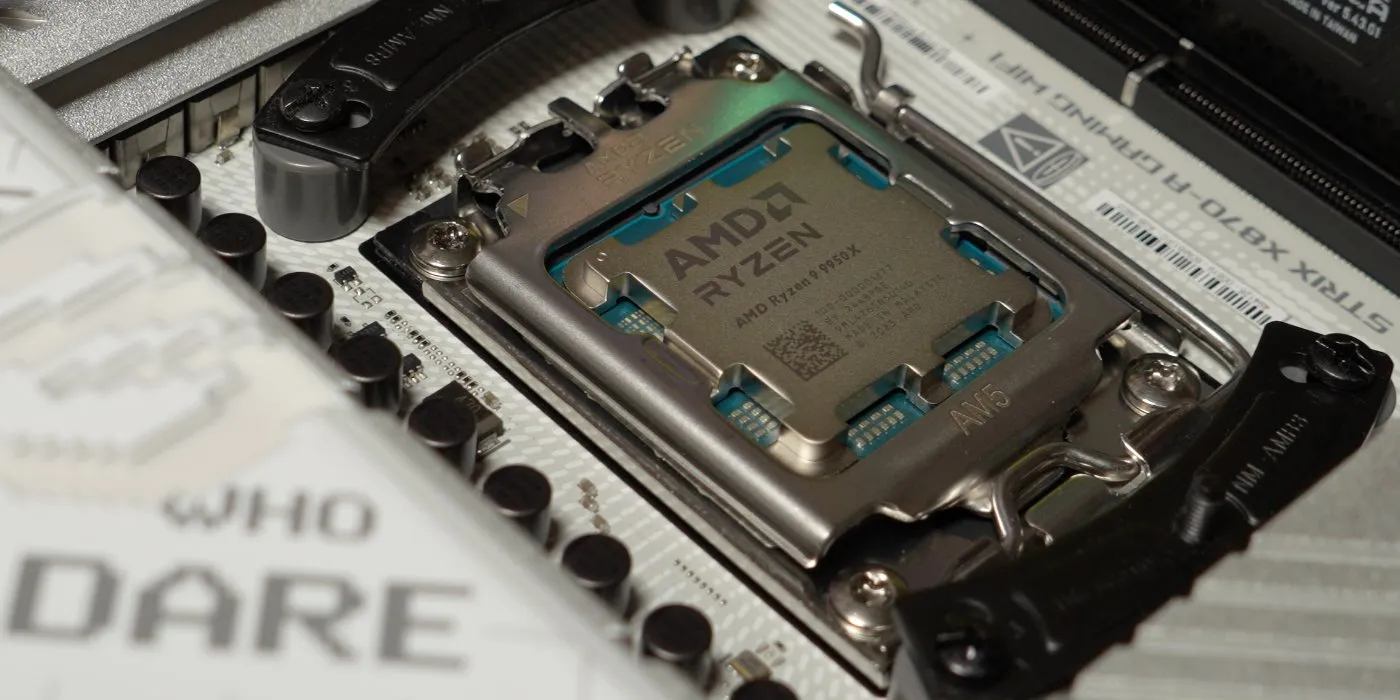
Hey all! I've got a bit of a different piece of content for our wonderful website, Out of Games, today and it's a step-by-step build log of a new computer that was put together from Black Friday deals.
I've been in the market for a new desktop for... too long. I haven't had reliable access to a desktop PC that runs Windows (and Linux) for just over 6 months now. It has not been as huge of a priority as it should have been, because realistically I can play quite a few games on my Mac and a full new build is costly for the kind of build that I want. My last machine was built as a temporarily solution to a dead 7820x X299 build from way back (my CPU stopped doing math!) before it was cool to have 16 threads, and it didn't last too long due to... also a dead CPU.
Note that links in this article to Amazon are affiliate links and Out of Games will earn a commission on purchases at not additional cost to you.
The Journey
Out With the Old Machine...
So, where are we coming from? This machine, which I nicknamed Gadgetzan after the Goblin city in World of Warcraft's desert Tanaris, was an upgrade to Gnomeregan, my X299 chipset build which, as I said before stopped doing math. It's kind of crazy that a CPU can stop doing math, but it straight up failed Intel's math test on it's CPU testing tool.
But, that doesn't really matter and it's a story for another time, a story which includes a LAN adapter which would not run at 1 GbE if you even thought about overclocking the system. Gadgetzan was built exactly 4 years ago, and realistically lasted around 3 years before it started to show problems with its CPU - I am a very unlucky person. Here's what Gadgetzan was made of:
| Part | Model |
|---|---|
| CPU | Ryzen 7 5800X |
| Motherboard | ASUS ROG Strix B550-F |
| RAM | G.SKILL 32GB TridentZ DDR4 @ 3000 CL16 |
| GPU | Zotac 3080 Ti 12 GB |
| Power Supply | EVGA 750 Watts |
| CPU Cooler | Noctua NH-D15 |
| Storage | Samsung 970 EVO Plus NVME 2 TB (x2) |
It was my first time being back with AMD since my first truly personal computer, which ran on an AMD Duron, codenamed "Spitfire". I was happy to be back on "Team Red" even if I wasn't going to be going with a wild high-end build, but it was definitely an upgrade over a computer that wasn't working.
And in With the New Machine!
Gadgetzan lasted a whole 3 years before it began to see problems. Random reboots was the first sign of weakness and I powered through because they were infrequent and any error codes were not pointing towards a CPU problem. It was only when I installed Fedora, a distribution of Linux, that I was able to get good error codes that were showing me my CPU was toast. Not only that, but my drives were on the fritz too. I suspect the power supply may have ruined everything, but I've yet to confirm that as being problematic.
So, what am I going with this time around? Huge upgrade. Note that the GPU and CPU Cooler were reused from my old system I have included what I would go with if I wasn't going to use older parts and what I am likely to upgrade to in the future.
| Part | Model | MSRP |
|---|---|---|
| CPU | Ryzen 9 9950X | $649 USD |
| Motherboard | ASUS ROG Strix X870-A | $329 USD |
| RAM | CORSAIR Vengeance DDR5 RAM 64GB @ 5600 CL40 | ??? |
| GPU | Zotac 5080 16 GB Apocalypse | $1249 USD |
| Power Supply | CORSAIR RM850x | $169 USD |
| CPU Cooler | CORSAIR iCue Titan Link 360 | $199 USD |
| Storage | Samsung 990 Pro NVME 2 TB (x2) | $230 USD |
| Case | Corsair 3500X w/ iCue Link | $160 USD |
I can't give you a price for RAM because it keeps increasing. Since purchasing mine for $600 CAD, it went up 8% over the weekend. Insanity. If you're looking for a gaming GPU that is more than capable for many titles, there is a great deal on the ASUS TUF 5060.
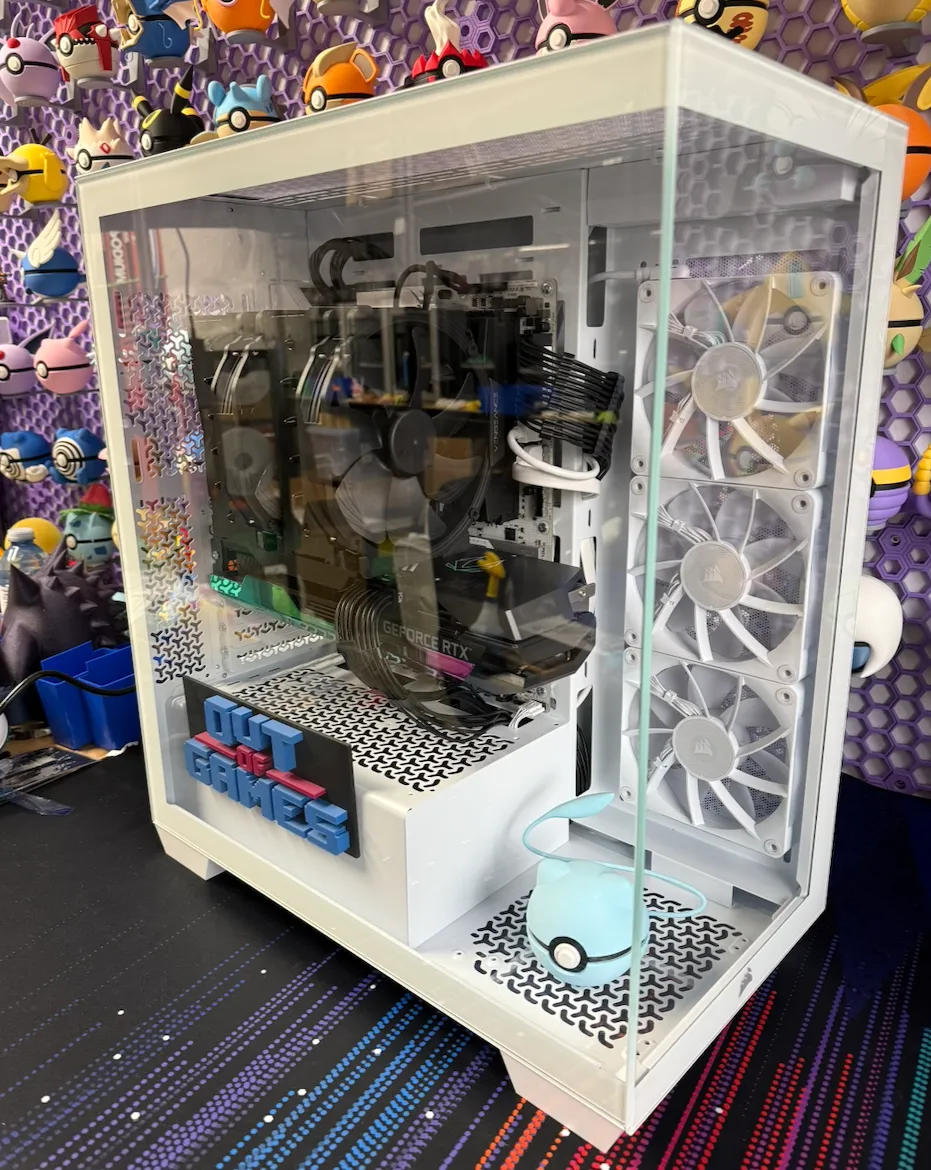
The big focus for this new build, which is named "Area52" after the town in The Burning Crusade's Netherstorm, is light programming duty (my Mac Studio M2 is my main dev machine), gaming, and content creation including the ability to livestream while playing games.
Sidenote: I name all my devices after Gnomish and Goblin locations from World of Warcraft - my 3d printer farm is named after NPCs of the same races.
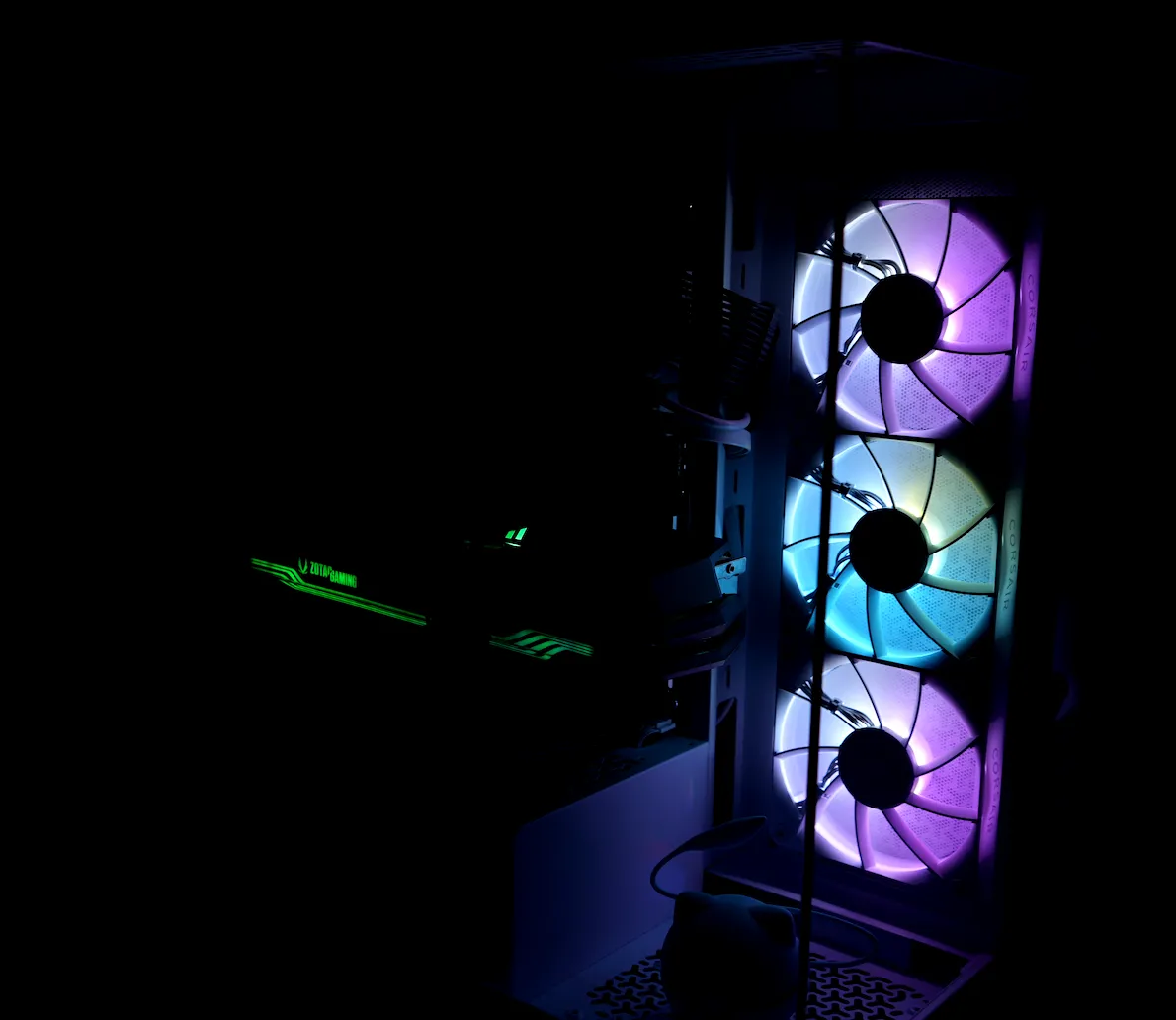
Why Each Component Was Chosen
Much thought was put into each component and in some cases, I didn't even get a deal.
CPU: Ryzen 9 9950X
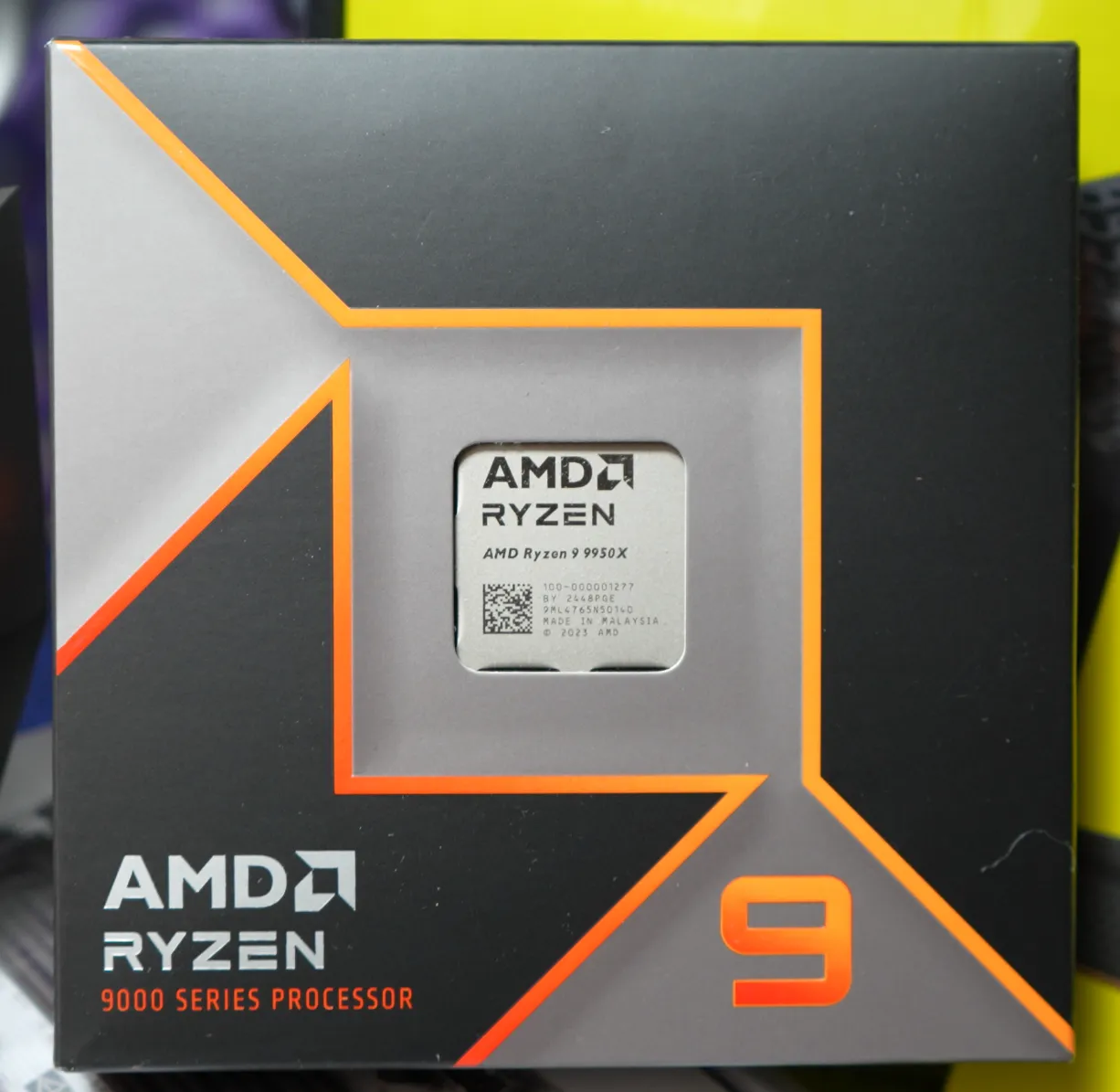
Let's start with the most important part of a build, the CPU. If you're familiar with AMD's Ryzen lineup, you'll likely know about the X3D variants of their CPUs which are meant for gaming and wonder why on a gaming-focused machine I did not get one.
Why I Didn’t Go X3D
It's simple: the cost. I already wasn't getting a deal on the 9950X (though I do see at Amazon in the US they have a deal), and the 9950X3D variant was going to bump my price up 30% for less of a performance increase. The specs are the same, the difference is in the L3 Cache.
Delicious cores. Give me them all!
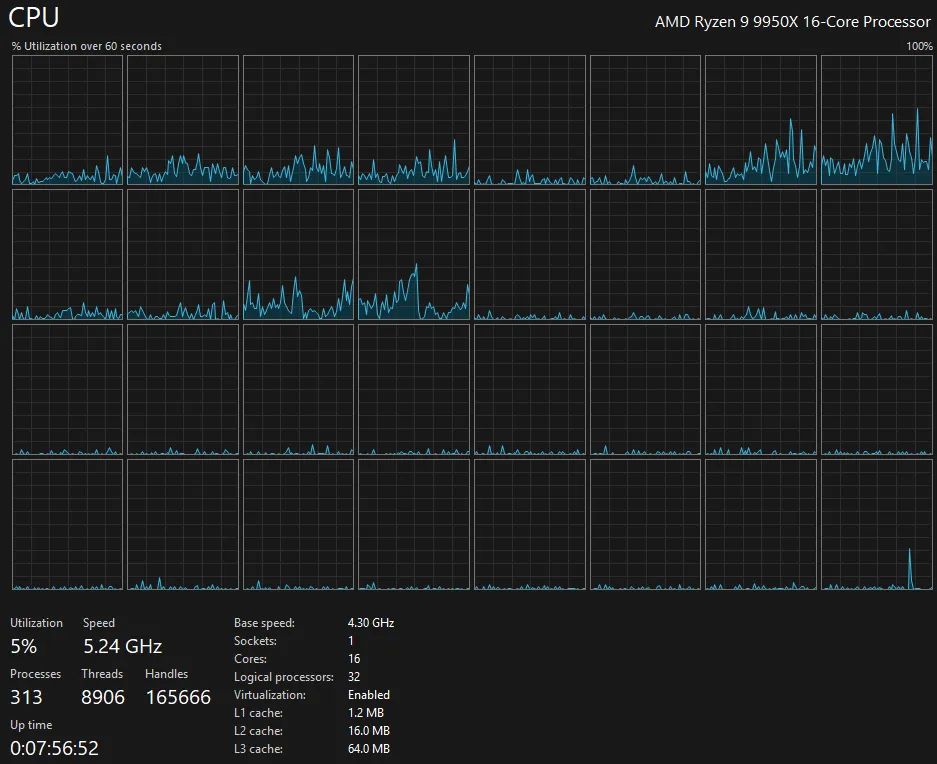
Now, one could argue that I should have gone with an X3D variant processor that was toned down on the core count to chase CPU performance but that's not why I went with this processor. I went with the 9950X because I need tons of cores for multitasking. A lot of the software I have written to aid me in tasks incorporates multithreading so if I have more threads, it means I can let them run in parallel, speeding up my tasks. This will also help out though when I have a million applications open, which I always have a million applications open.
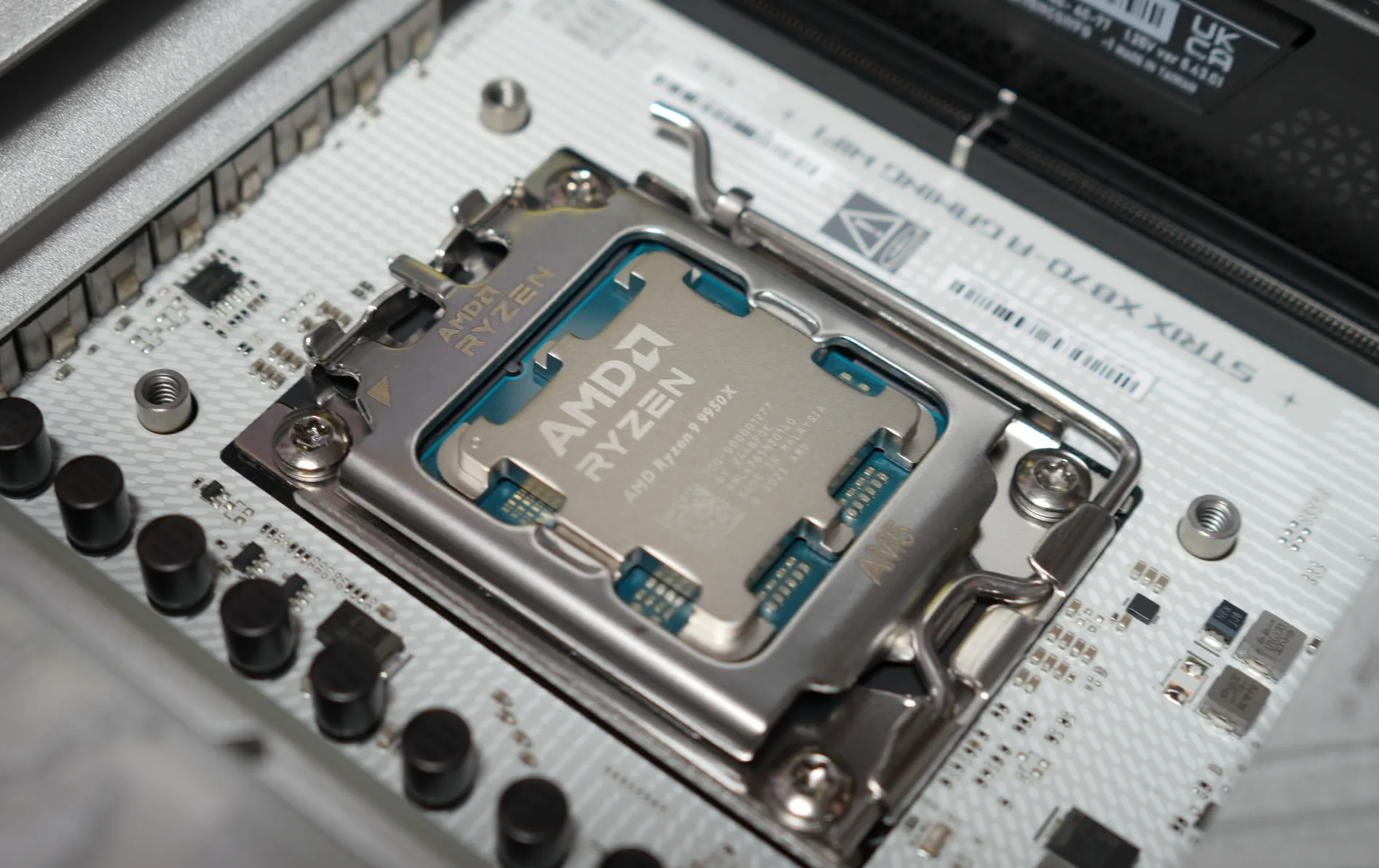
If you're just looking to game, I don't recommend the 9950X nor do I recommend the 9950X3D. The 9800X3D is a wonderful chip if you want to push frames hard but have a sane number of cores. I am also a fan of the Ryzen 7 9700X which I've built a couple of machines with for family and recommended to friends because honestly, the X3D is not needed for most gamers.
Motherboard: ASUS ROG Strix X870-A
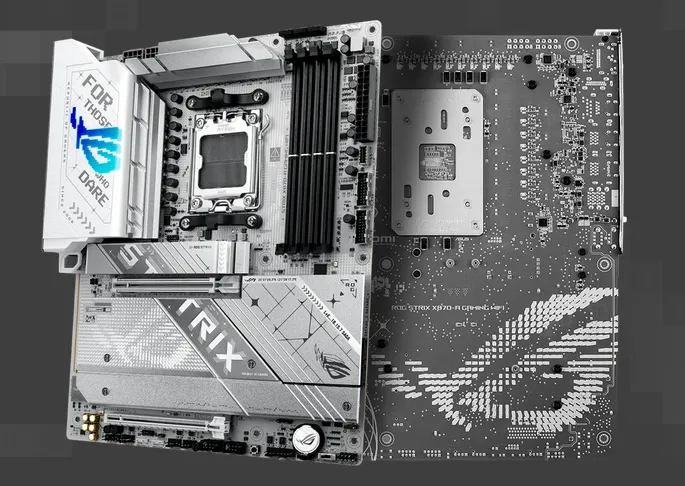
Motherboards might be the most difficult part to choose for a computer because there are simply so many options. As soon as you pick a processor, of which you quickly narrow the field down when you choose if you're going Intel or AMD, at that point it's really just a matter of what you want to do with the machine and the price you feel comfortable paying. I'm going with the ASUS ROG Strix X870-A.
Which is a bit where motherboards are at, though it gets a little bit trickier.
So for starters, I knew I wanted a board that had a ton of connectivity. I hate running out of ports and although I may only need a handful of them right now, giving myself double that keeps me future proof. I also wanted to make sure that I had strong USBC connectivity because having one on the back and one on the front is not acceptable anymore. We as a society need to fully embrace USBC as a connectivity standard and not just for charging our phones. It's going to take time, but we need to start seeing boards with half a dozen of these ports.
That's how I landed on the ASUS ROG Strix X870-A. I typically shop for ASUS boards because they have always been good to me. I've had the best success building PCs with their boards and the ROG lineup I love the visual appearance of them.
Visuals, if they matter at all to you, sometimes are the only reason to choose a specific motherboard. Most board all carry the same features so as long as you get a board which has the I/O you require, go find one that suits your style; ROG does this for me and does it well.
But don't think that you're getting off that easy, because Chipsets are also key. On the AMD side for the AM5 socket, we've got a large range of different chipsets available and they are all using the same underlying chip, the naming conventions simply tell you what specs the board are made to. You can game perfectly fine on the lower end boards, but if you want to throw more I/O at your machine, or you need more NVME slots, you're going to have a bad time.
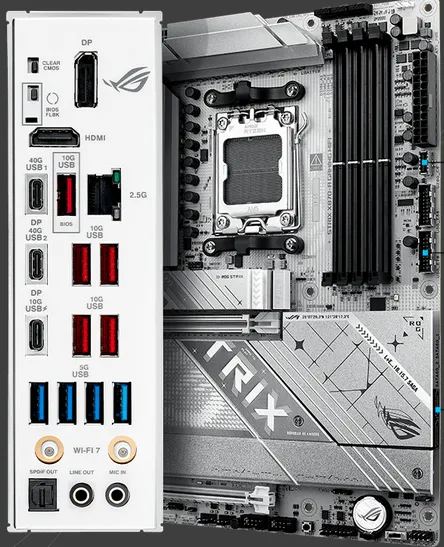
The ROG Strix X870-A gives me a ton of connectivity that I crave:
- 2x PCIe 5.0 x4 NVME Slots for Drives
- 2x PCIe 4.0 x4 NVME Slots for Drives
- 1x PCIe 5.0 x16 Slot for GPU [via CPU]
- 1x PCIe 4.0 x16 Slot for Card [via Chipset]
- 4x DDR5 8000+ MT/S Overclockable Slots
- 1x Display Port
- 1x HDMI
- 2x USB4 40 Gbps (Display Port Compatible)
- 1x USBC 10 Gbps with 30W Fast-charge
- 5x USBA 10 Gbps with 30W Fast-charge
- 4x USBA 5 Gbps
- WiFi 7
- Intel 2.5 GbE Ethernet
- S/PDIF Out
- Line Out
- Mic In
Front panel we've got triple connectivity options:
- 1x USB 20 Gbps Connector for Type-C
- 2x USB 5 Gbps Header for up to 4x USB 5 Gbps Ports
Why Connectivity Matters
Is it a bit overkill, especially since I'm not planning on overclocking anything? 100% without a doubt. But, I get all the wonderful I/O that I wanted and the board looks absolutely amazing which PCs to me have always been form and function, and I love the form aspect.
The big standouts though are the large amount of USB 10G the board has, and the triple USBC on the rear with two of them being Display Port capable. The nice thing about everything running on AM5's socket is if you wanted to, you could plug into your motherboard's connectors and still be able to use your GPU, provided your CPU has an onboard GPU.
The reason for this is because of the built-in muxer. Much like how laptops switch between their onboard and dedicated graphics cards based on the task at hand to save power, you can get these benefits on your desktop as well. I don't currently have monitors which I plan to connect via USB4, but in the future it is always possible that I may want to make use of that.
WiFi 7 support is also nice to have since this year I upgraded my UniFi gear to get Wifi 7 support in my house, but my desktop gets plugged into Ethernet so it's not likely to ever be used. Almost all higher end boards now come with WiFi as standard, so there's not much I can do about that.
This board also features a Quick Release for the GPU slot. It looks like a normal lock for the PCIe slot, but it actually has a mechanism which allows you to simply pull out the GPU (or other card in the slot) without needing to full send the lock with a screwdriver in the tight space should you need to remove your GPU. Thank you ASUS, this should be standard.
RAM: CORSAIR Vengeance DDR5 64GB (2x32) 5600 CL40
RAM prices are out of control, thanks AI! I wanted to do 64 GB for this build, but I also wanted to save money so I figured I'd go with 32 GB but then I saw the prices and the low number of SKUs available for memory and I said nah, I'll get 64 instead because it was only 30% more expensive to go 64 than 32.
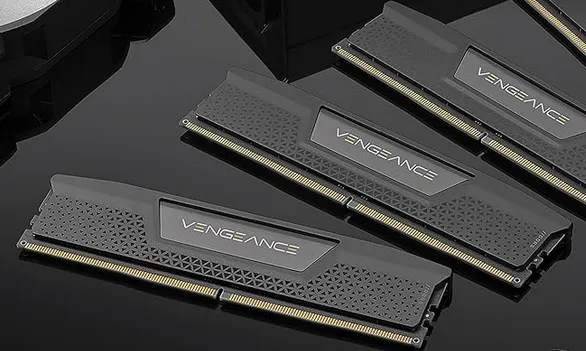
Why 5600 though? It is quite simple: stability. I don't see a reason to overclock my memory hard and AMD's lineup of Ryzen processors in the 9th generation all max out at DDR-5600 anyway. You can go higher but you're inviting yourself into the realm of the uncertain which I don't want to deal with - not all processors win the silicon lottery and may not be able to effectively go above 5600.
For the same reason, that's why I wanted to target 2 sticks of memory. With DDR5, going 4 sticks of memory cuts your max supported memory speed by a good chunk - both on Intel or AMD. Here's the details for a 9950X:
- 2x1R DDR5-5600
- 2x2R DDR5-5600
- 4x1R DDR5-3600
- 4x2R DDR5-3600
As we can see, running memory with 4 slots gives you a max speed of 3600. You can go higher speeds with overclocking, but if you want stability, you should go with the max supported by your chosen processor. RAM is so fast anyway, the gains are marginal.
CAS Latency? Calculating the True Latency
CL40 is our CAS Latency. To find your true latency for RAM, you can run a simple piece of math:
CAS Latency / Datarate x 2000
Taking our CL40 at 5600, that gives us 14.28 nanoseconds of latency. We multiply by 2000 because the DDR specification means "Double Data Rate". A lower CL rating for RAM is usually better, but fast RAM with a higher CL can out perform slow RAM with a lower CL so do the simple math if you want to compare kits. The reality for most people though, is unless you are pushing your hardware 100% when you're performing tasks or know that you have workloads that are sensitive to memory speeds (gaming, it's really not), this isn't something you need to worry about.
Why Corsair Memory?
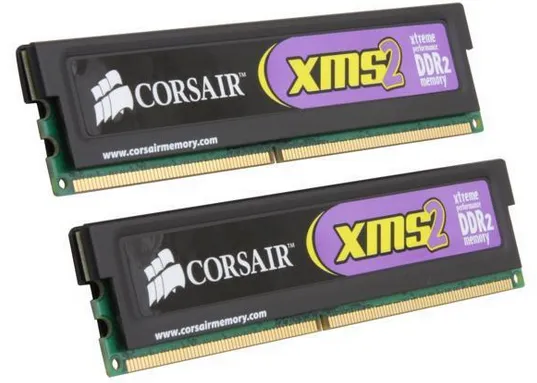
Simply put, I always put and recommend Corsair RAM in my builds, minus the one build where I went with Kingston and the other where I loved the RGB bars on G.SKILL's offerings. I've been using Corsair RAM since my Core 2 Duo build using XMS2 DDR2 RAM and I had a whopping 4 GB of it on Windows XP. Those purple stickers!
I do recommend that everyone aims for at a minimum, 32 GB of memory going forward, especially on Windows which is a memory hog. 64 is probably overkill for now, but we'll see where we're at with application bloat in 10 years.
Good luck though finding RAM, many places are out of stock. If you are building a PC for Black Friday, find the RAM first and make sure you secure an order of it.
Storage: SAMSUNG 990 PRO SSD 2TB
Storage, I only really had a couple of requirements that drove me towards a 990 PRO TB:
- I need at least 2 TB for the boot drive,
- I want TLC over QLC NAND,
- It must have a DRAM Cache,
- and I need it to be fast.
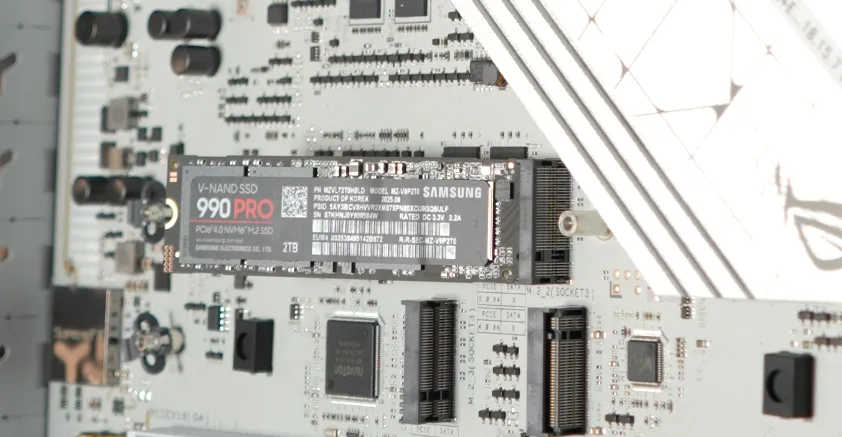
Before it gets its chonkin' metal hat.
I was hoping to get a Western Digital SN850X because it is a fantastic TLC-based drive that can sustain fast speed but no deals were to be had. I've been hesitant to go with a Samsung SSD again, since their firmware is notoriously shoddy and their poor firmware caused one of my drives to get discarded because it caused system instability, but here we are in 2025 going with Samsung.
TLC, QLC, BLT?
No, BLT is not an acronym used for SSDs, I just thought about how delicious a bacon, lettuce, tomato sandwich would be right now.
Samsung makes good drives. They have solid chips, they have fantastic write and read speeds and you can write terabytes upon terabytes of data without wear being a concern - hence the desire for TLC NAND. When buying an SSD, I always aim for TLC over QLC because I know that I'm going to be writing a ton to the drive and QLC just doesn't allow for as many write cycles. For most gamers, this NAND choice likely doesn't matter, but I can write TBs worth of data in a week through the large amount of file I/O that takes place when doing datamining operations so TLC is the way to go.
It's a shame because QLC drives feel like they are more common than TLC, but cost savings, it makes sense - people want cheap options.
How Much Storage Does One Need?
2 TB is the absolute minimum I recommend for a gaming PC with how large games are getting. Just installing something like Call of Duty you're going to use 150 GB of space, on a 1 TB drive which has a bit over 900 GB of usable space, that's an insane amount of the disk space. You don't want to run your drives at full capacity either, although technically possible, you can run into degraded system performance because of it. I'd have liked to go 4 TB for my boot drive, but I wanted to stay somewhat on a budget.
To Cache or Not to Cache
DRAM Cache, I can't imagine buying a drive without it, there isn't even that big of a difference in price anymore either. The cache is important to get the super fast write performance of your drive. Without a cache, if you are writing to the drive too fast, the drive will become a bottleneck whereas with the cache, you can burst higher writes to it, and the controller on the drive allows it to play catch up.
And that's why we're going with the 990 Pro. Researching online, there were issues with this drive model a few years back, but newer firmware has fixed problems. Also, I have purchased two of them because I'm using one for my Windows install and the second one for a Fedora Linux install which is going to be used also for gaming because gaming on Linux is strong.
PSU: CORSAIR RM850x
Power supplies are boring. My goal was simple: obtain a power supply with enough juice to upgrade in the future and make sure that it is compatible with the 12-pin GPU power cable standard. It does not make sense in the year 2025 to buy a power supply that does not contain this compatibility, even if you are using a card without it.
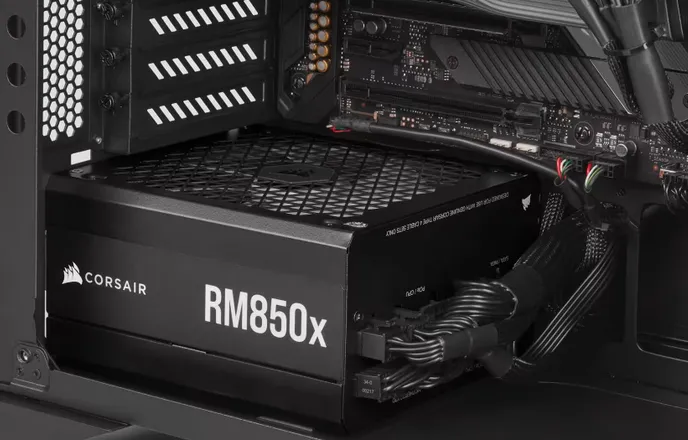
The older 2021 version of the RM 850x.
The RM850x is solid all-around. I've recommended everyone use Corsair power supplies (and EVGA for what its worth) because they have quality, quietish fans, have nice cabling, and for the RMX specifically, there is a fan override knob that lets you adjust the fan speed baseline if you want to run it faster by default to help with airflow if you're pulling air in from the case vs outside.

The newer version of the RM850x, note the connector difference.
Do note that if you want an RM850x, there are two versions of it - one from 2021 and another from 2024 and onward. You want the 2024 edition because the older one does not contain the new cable for the 12-pin GPU connector.
An RTX 5080, which might be in upgrade territory in the future, also needs an 850 watt power supply which gives me the room to upgrade to one of those beasts if I want to make the leap up. That doesn't mean a 6080 might have the same power requirements so it's possible I may have unspecced this build for true future-proofing, but I just didn't feel the need to go 1000 watts here.
Cooler: Noctua NH-D15
Not a new fan by any means, but a strong one. Comparable to many water coolers, this isn't a budget CPU cooler by any means but it pumps air. Noctua is my gold standard for cooling and I have nothing but praise for the Noctua fans and coolers I've built with in the future. Hello NH-D15.
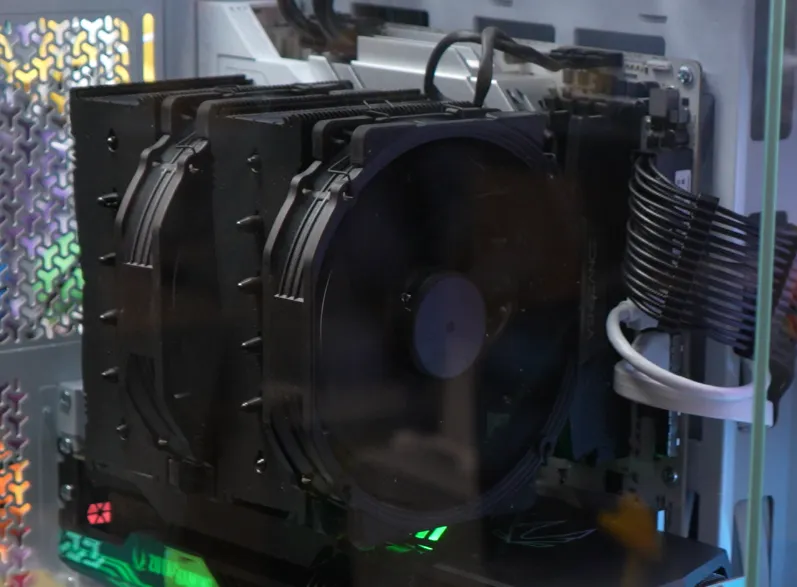
For aesthetics, I might revisit this in the future and go with a water cooler, Corsair's iCUE Link Titan 360 RX interests me greatly, but for now, I'm reusing my tried and true cooler and saving the money.
GPU: Zotac GeForce RTX3080 Ti AMPHolo 12GB
This is an old part, you shouldn't buy one today unless you can get a great deal second-hand and you know it wasn't used for mining crypto. Performance though, the 3080 Ti hits everything that I throw at it and I just don't see a reason to upgrade right now. Even the most AAA of titles, I still get rock solid performance - and I'm happy about that because I spent way too much money on this in 2021 when graphics cards were a cutthroat market.
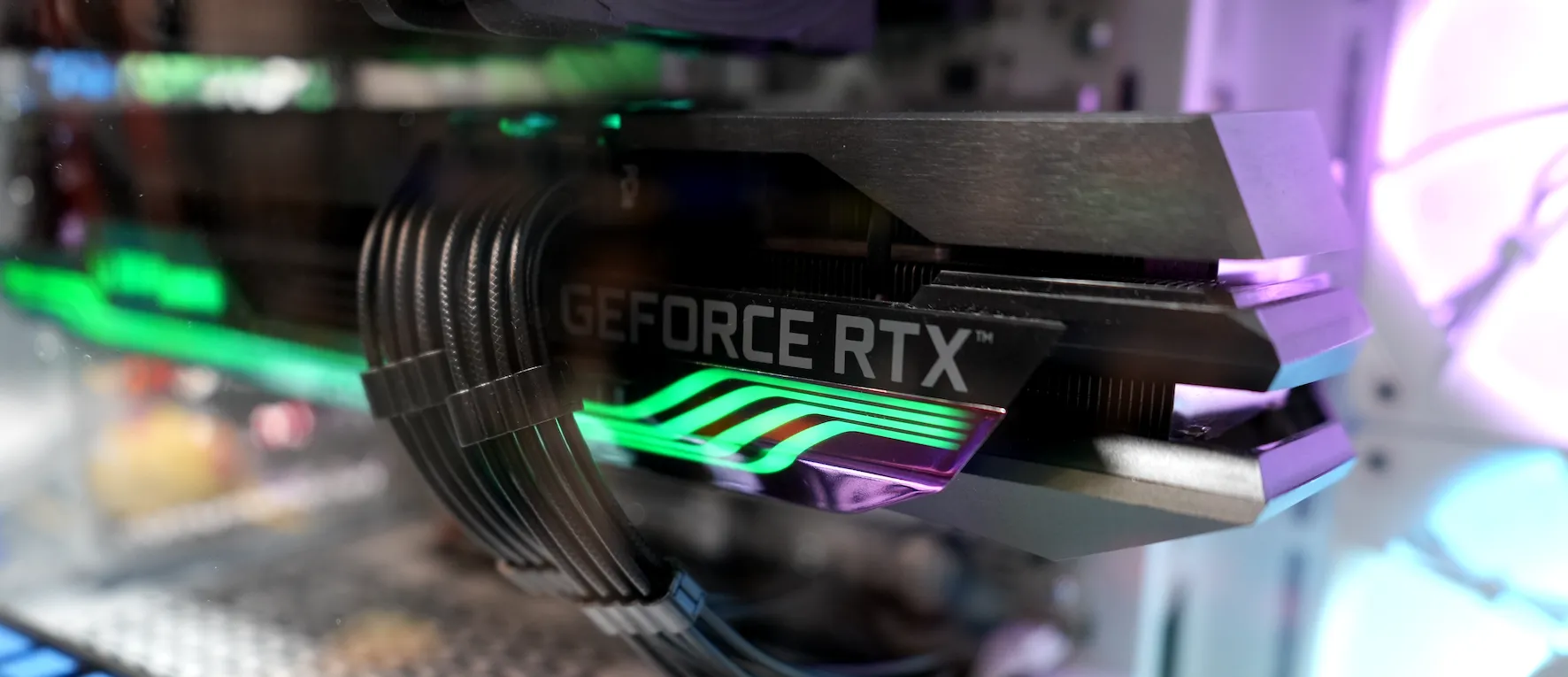
I've heard good things about Jawa.gg, and have had friends buy parts off their marketplace with great success. If you want to build on a budget and need a "new" card, check the second-hand market, you'd be surprised at what you can find sometimes.
If I were to build from scratch today, and I wanted to stay on a budget buy keep high performance, I'd stick to the 5000 series of cards and pickup a RTX 5070. With EVGA out of the graphics card market, I've been a big fan of Zotac's offerings but also, ASUS has solid cards too so those are my picks for brands.
How the Build Actually Went
Fairly flawlessly! I did make an initial mistake with the cooler installation, putting the brackets on the wrong way around and thinking the sky was falling, but user error it was!
The case was delightful. Now truth be told, this is my second build in the Corsair 3500X, with myself building a family member a PC back in April of this year and they chose the same case. I loved it so much I knew I was likely to get it as well annnnd yup, we did it. I have absolutely zero regrets. Being able to complete take off the front of the build allows for just such easy access. My hands aren't dainty by any means so getting them into everything easier is a good time. No bleeding knuckles or fingers from weird knicks and scrapes were made in the creation of this build.
The tool-less M.2 slots were a dream to work with. I still feel a little weird about them, I was happy with inserting screws into the end of the drive and knowing for certain they weren't going to move anywhere, but the reality is those heatsinks are on so tight that we won't see any movement anyway. Also, it does make upgrading a lot simpler now too because when I want to add in drives 3 and 4 in the future, I don't need to go looking for more hardware. Thank you to the ASUS ROG X870-A... who also gets credit for the incredible innovation on the GPU PCIe slot which has a spring-loaded lock. You can simply raise the card out of the socket when you don't have the rear screws in to connect the GPU to the case, and it effortless comes out. I've broken the PCIe locking mechanism on a single board before, because it was too tight and clearances were absolutely awful.
The power supply, I wish the cables had thicker cabling. I don't particularly enjoy the individually sleeved cables when they are so flimsy because it is difficult to achieve a nice look to them, and when I did think I got them looking good, moving the case around disturbed them; Not a great way to get things going before powering it on.
Other than that, we're looking at a normal build taking place. It's so wonderful that we don't need to rely on SATA cables anymore for our drives. M.2 is easily the best innovation in computing because everything looks so much cleaner and installs are easier as well. Now we just need everyone to get on the hypetrain of rear motherboard connectors for power and cables, so we don't need to look at that ugly 24 pin anymore - though we should switch to the full 12 VO standard.
Problemos
The only problem I had so far was Windows didn't detect my Ethernet port on install which means I had to slip in a driver via a USB and it didn't give me any drivers for WiFi either, not that I needed them. A mild annoyance that was solved by visiting the ASUS website to grab my drivers. This was a brand new Windows 11 install USB that I made so I was surprised I didn't get out of the box connectivity. Windows things I swear...
If you're looking to build a PC during this holiday season with sales, it's not the worst time you could be building a PC but it's certainly not a great one. RAM and SSD prices are through the roof, if you can even find a model you want, which greatly increases the cost of a build. Back in April of this year, I built a system for a family member and it was $130 CAD for 32 GB of DDR5 RAM. That same package of RAM before it went of stock last week was $319 CAD. I always seem to build PCs when the price of RAM goes up.
Noise
With a beefy NH-D15 with dual fans and the three 120mm fans that come with the case and a power supply that doesn't actually spin up very much, I find the machine to be quite quiet. It isn't as quiet as my Mac Studio, but during games it definitely does not annoy me when getting the system up to speed. So, really, about the same of my old build, but this one is much faster and much prettier.
I don't have any scientific equipment to take a true noise test, nor do I think that matters to most people anyway. Simple human perception = a solid review.
Performance
This thing slaps; And no one was surprised in the slightest. I haven't had time to play a full range of games on it, but I have some initial information to share with regards to the performance of "Area52".
After a 30 minute gaming session, with the Ultra Preset with No PostFX and No FSR, the 9950X saw a max temp of 79c on the CPU die. After closing the game and waiting for 6 minutes, we were down to 50c at idle, the same temperature the CPU is at shortly after booting Windows and allowing things to settle.
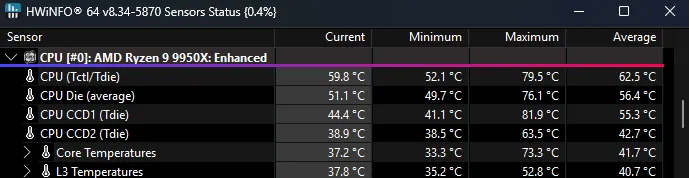
All performance numbers are from running at 2560x1440 resolution with the latest Nvidia drivers (581.80) on a fully up-to-date install of Windows 11.
Escape From Tarkov
To start, Tarkov's 1.0 release runs beautifully and if you go to run a local PMC raid on the PVE mode, because the servers are currently so overloaded PVP game times take forever to load up, you're in within just over a minute. I don't have a great comparison for this from my old computer because the game has definitely received some loading optimizations since I was last able to play it, so this is not at all scientific, but it feels like the PC is doing work.
Overall, a great success achieving solid 45+ FPS performance which for Tarkov feels good enough considering how much clutter I play the game with to enjoy the beauty over the function.
F1 24
A run out in a very inaccurate Circuit de Spa-Francorchamps benchmark run where it was sunny out, insert flashbacks to the Belgian 2023 Grand Prix where torrential rain ruined the race and George Russel in a Williams of all tanks got 2nd on the podium thanks to his insane qualifying in the wet, I have achieved greatness with F1 2024's highest settings.
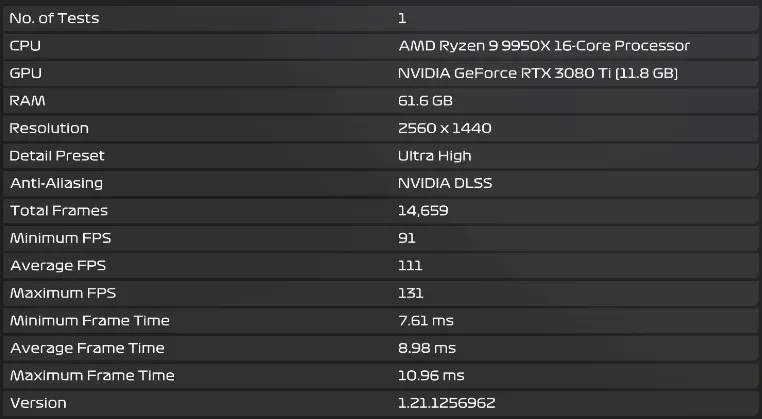
Mind you, I normally play F1 24 with my Valve Index on, so this isn't accurate to the performance I expect to see when actually playing the game, but an average of 111 FPS is damn solid and the game looks beautiful. Why not F1 25? I haven't gotten around to buying it yet since I didn't have a system to play it on! I will probably wait for 26 to come out though and if it seems to be working good, and I can spare the time, we'll see a return to F1 racing with my Fanatec F1 wheel that I cherish so much.
Cyberpunk 2077
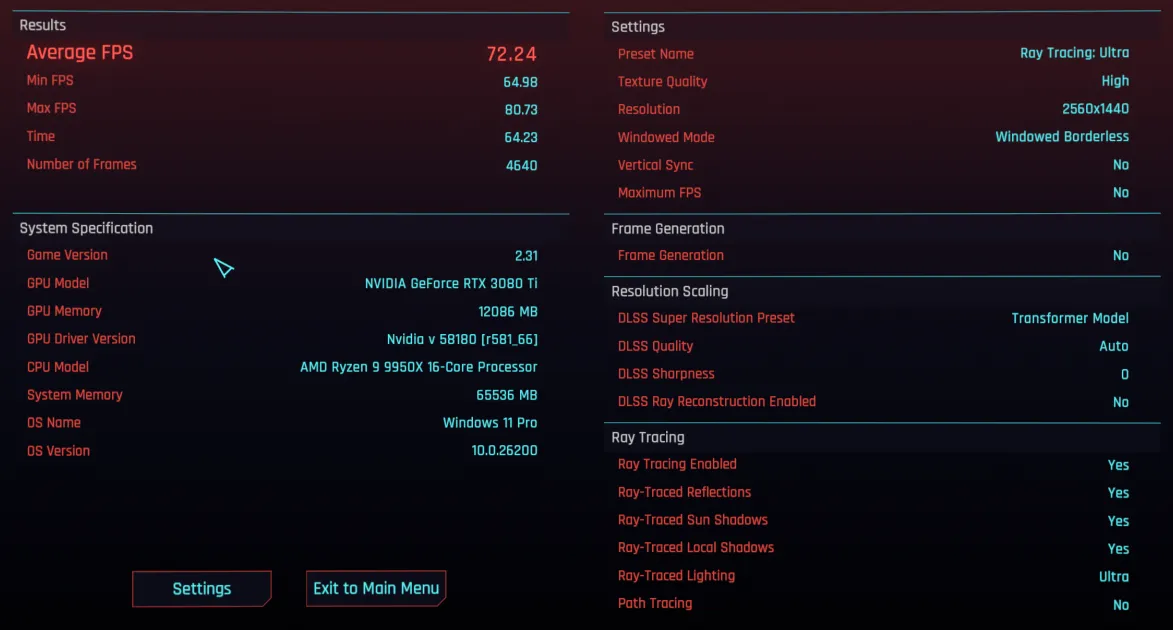
Everyone loves to see performance in Cyberpunk. An average FPS of 72.24 with lows of 64.98, that is more than playable at 1440p on High textures with Ultra ray tracing. Frame Generation was off, so if you want to put fake frames in, you can boost this up too but I don't see a need to enable it.
Synthetic Benchmarks
Now, this isn't anything scientific so please don't take it as such and also, it's mainly just for fun. These scores mean almost nothing because I'm not chasing overclocking and I'm not running the absolute pinnacle of hardware, but it is a little bit fun to bring out the testing suites and see the numbers go up.
MSI Kombustor
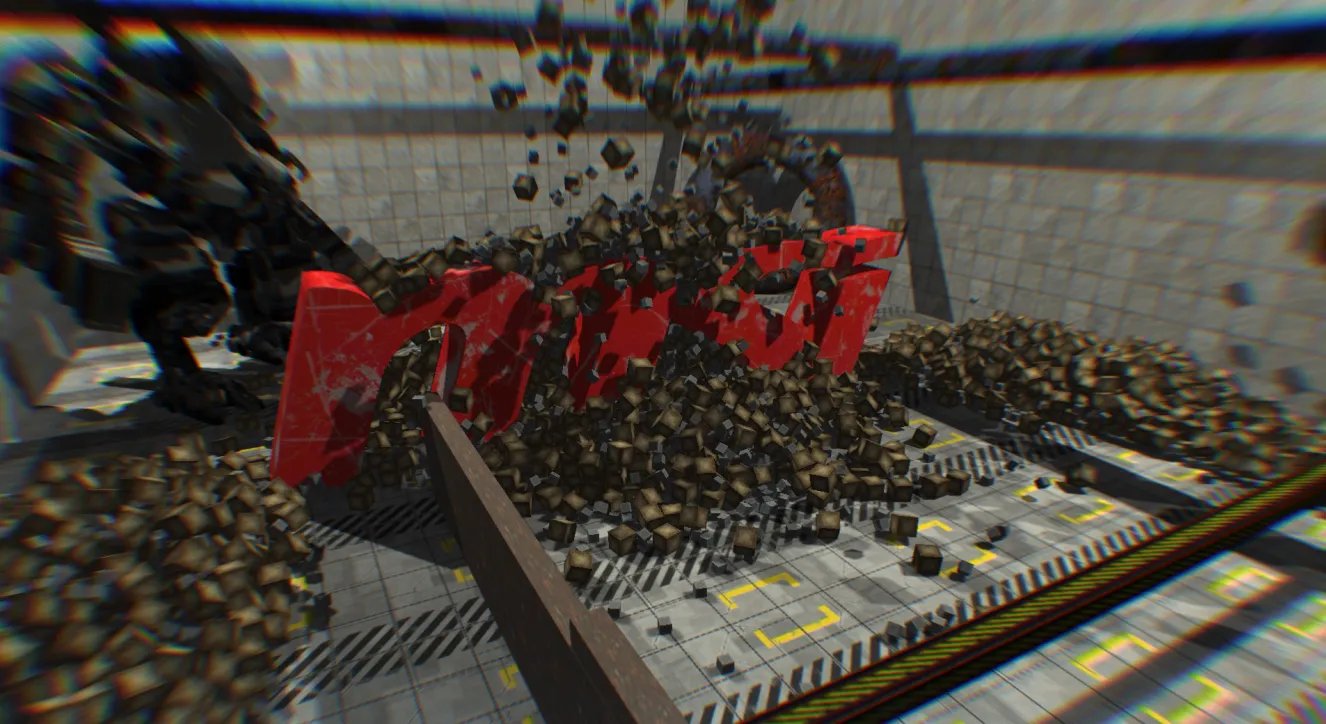
MSI Kombustor is primarily a GPU benchmarking and stress testing tool, but it will allow us to give the CPU some hell too. The goal of the first test was to simply run the OpenGL MSI-01 Preset for 2560x1440p. The end result was 5412 points / 90 FPS. Solid but not unexpected.
Moving onto the second test, which has the goal of hitting the CPU hard by doing PhysX calculations on the CPU instead of GPU, MSI-02 (PhysX4 CPU – hard) saw a score of 34 SPS once we hit the full 9600 cubes on screen. The FPS may have been high at 591 but the simulation itself was not able to keep up and it looked horrifyingly bad but it just goes to show how difficult so many physics calculations in games can be.
Cinebench 2024
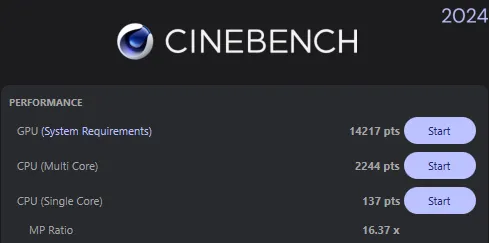
Using Cinebench's latest and greatest, 2024, I ran the testing suite against the 10 minute minimum test duration to account for sustained workloads instead of a one-off. Sustained workload benchmarks are more accurate to lengthy tasks because running your CPU or GPU at max for longer periods of time will cause it to thermal throttle, unless your cooling solution is absolutely perfect at handling load - which this test is representative of. In the sustained test, you can see my GPU score and CPU score both suffer, though more so on the GPU side. Keep in mind though this GPU has never been repadded or repasted in its 4 years of operation, so it may not be performing the most optimally.
3DMark - Steel Nomad
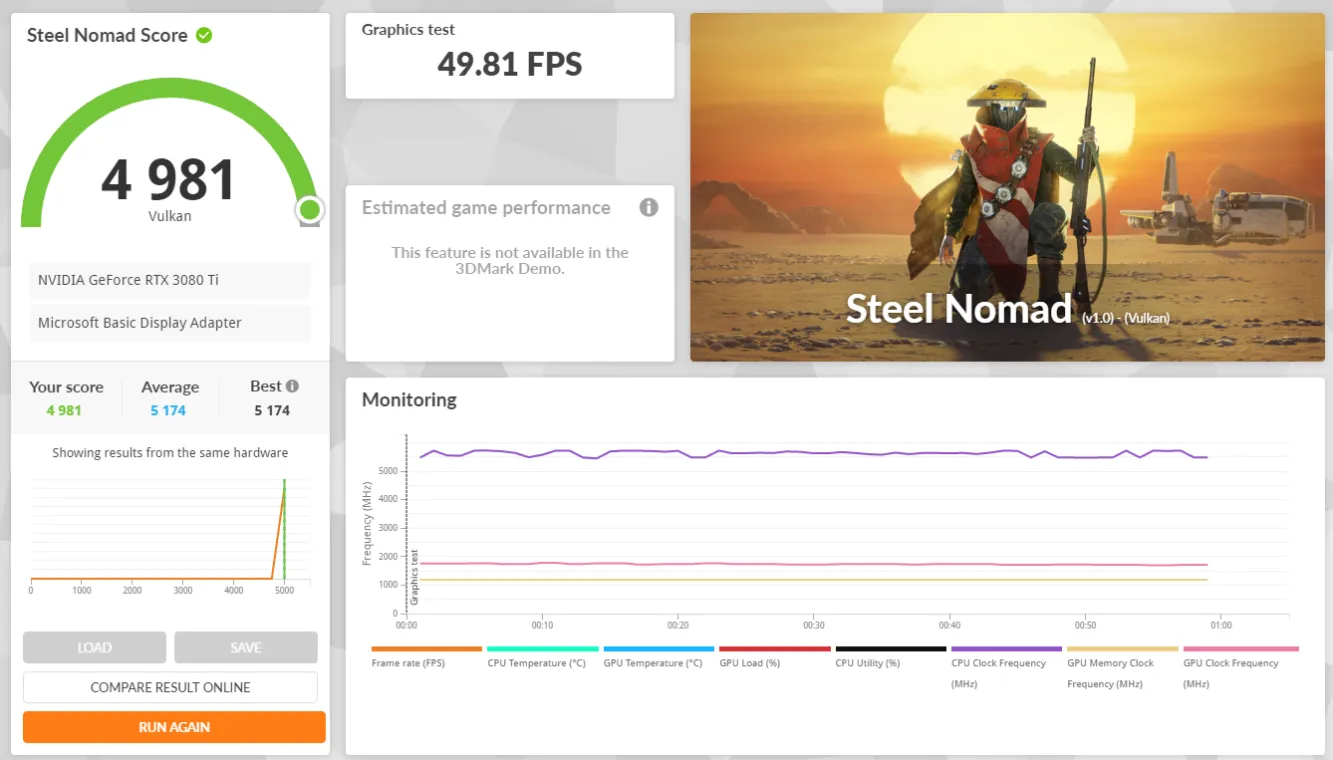
The "benchmark for gaming PCs" that is available under 3DMark's demo is their recommended test to run so I ran it under the DX12 and Vulkan rendering APIs.
Unfortunately, comparing my results to others who have also run the benchmark with a 3080 Ti and Ryzen 9 9950X, it shows I'm running behind them - but I also have absolutely zero overclocking going on during this run. The Vulkan renderer, things do look better, however, not as many users have run the Vulkan version of the benchmark with this hardware combo.
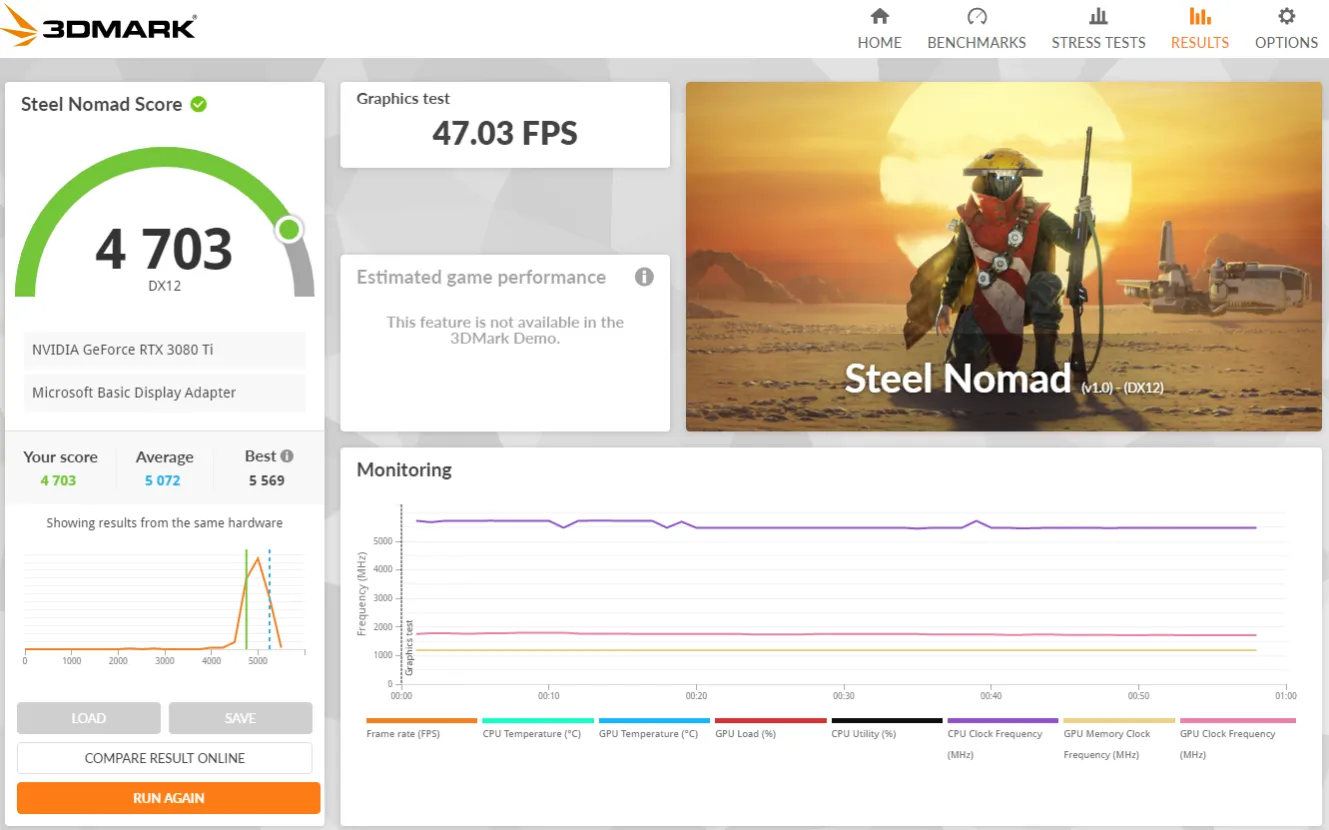
Realistically speaking, my GPU runs at 1710 MHz and 3DMark is not a CPU-bound benchmark. My card is known to have BIOS that limits power consumption to 330 watts, which I have seen people in the wild successfully take it to 2000+ MHz without switching the BIOS and then even higher with a swap. As I've said before, this system is meant to be a bastion of stability because I want to be able to enjoy gaming and creating on it for many years, and I don't want to burn it out early. I also don't see a major need to overclock anything. I'm happy with my performance in games right now and if I wasn't, I should just upgrade my card into the newer generation 5080. Honestly though, I'm more likely to wait it out and wait for those sweet 6080 cards instead.
Final Thoughts
I hope you enjoyed something a bit different here on Out of Games. This new build has been a long-time coming and after all is said and done, Area52 is easily the most balanced, stable, and capable PC I've ever built. It is not the absolute bleeding edge in every category, but it's exactly what I need for gaming, content creation, and all the behind-the-scenes magic that keeps Out of Games running.

Are you building a new PC towards the end of 2025? How is it going for you?



Leave a Comment