
Steam has done a fantastic job at giving players the tools they want to categorize everything they own, but they're not stopping there. Steam has now given you tools to add categories to your wishlist. If your wishlist becomes way too big (and that happens to most of us at some point), you can categorize them so now you can make at least some sort of plan as to how you want to start blowing your wallet.
I know that some people also put games on their wishlist, not for them, but for other people so they know when it goes on sale to buy them for a friend's birthday. Now you can categorize your games this way so people don't buy games for you that you were actually wishlisting for someone else.
That said, you might not want to what the official Steam post does and explicitly categorize it with your friend's name, lest they be able to see it and know what you're getting for them in advance.
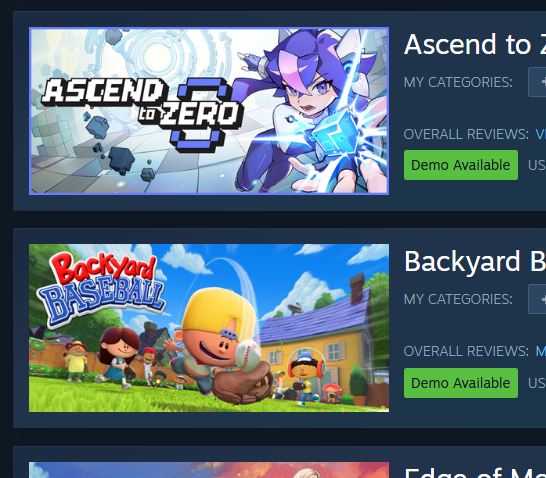
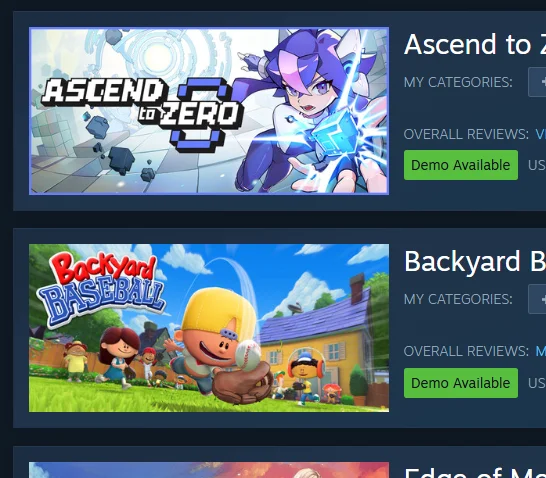
You may have already noticed that games in your wishlist now have a green box telling when if it has a demo available. That's part of the update too.
Quote From Valve With so many amazing games on Steam, players are wishlisting more and more titles. Existing options like ranking and filtering are great, but players have asked for even more ways to manage their Steam wishlists. Today we're adding categorization as well as improved search and sharing to the wishlist. Read the full post below for the details, then try out all the new tools on your own wishlist.
Categories added to wishlist
First and foremost is the ability to create and assign custom categories to games on your wishlist. You might want to create a custom category for games you saw featured in a cool event, games best played with a controller, or even games you have in mind for someone else.
Adding custom categories is quick and easy...
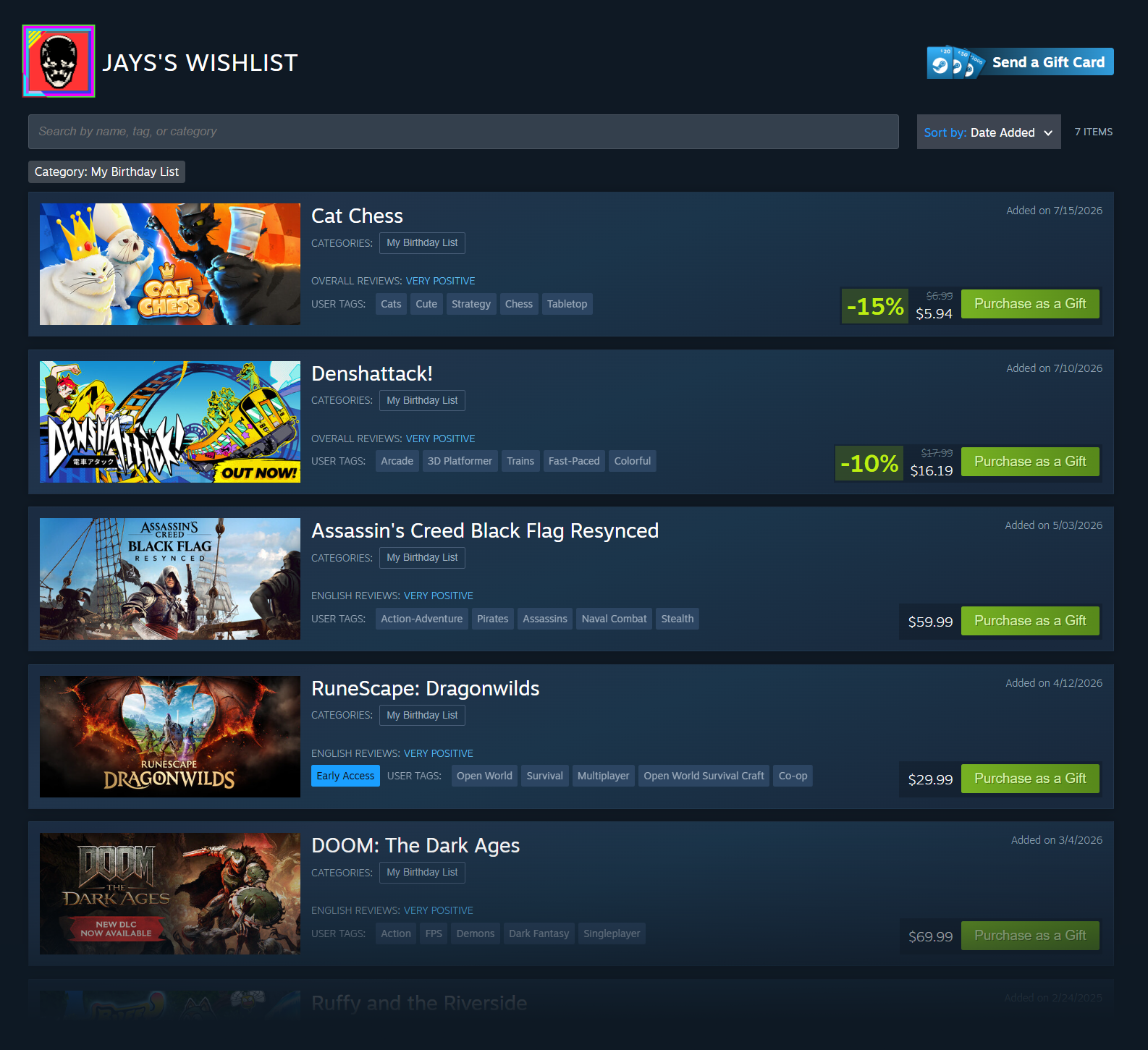
Filter to a category by simply clicking on the category name at the top of your wishlist or next to the My Categories area of each game
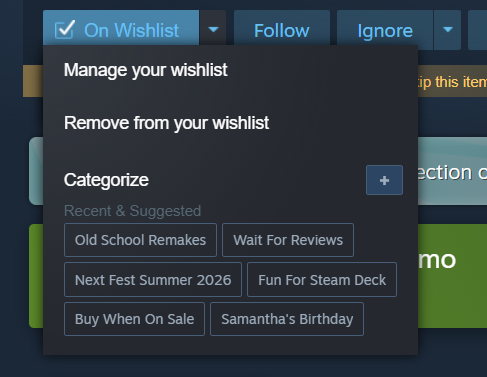
Quickly add to your frequent categories from the "On Wishlist" dropdown on store pages
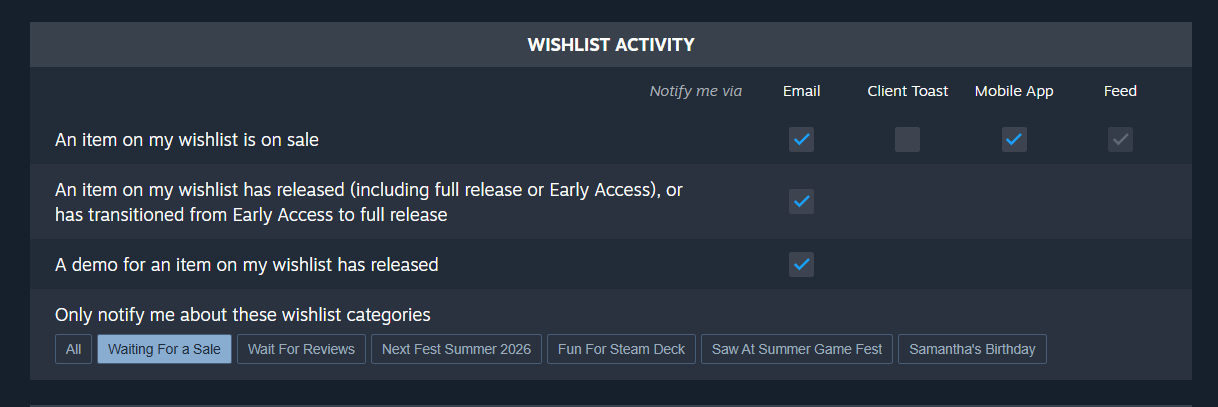
Customize wishlist notifications to only be sent for certain categories
Other improvements
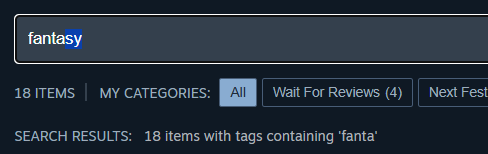
We've improved the search experience on the wishlist page and enabled autocomplete for faster results
We now highlight when a game on your wishlist has a demo available. You can also be notified when a demo is released for a game in your wishlist.
Microtrailers are now shown when hovering each games capsule image
Navigating to/from your wishlist in a browser, mobile, Steam Client, or Steam OS does a better job of bringing you back to what you were looking at
Plus we've made some tweaks to the wishlist page to improve contrast and legibility
Sharing your wishlist
You can already share a link to your wishlist, now you can share a link to a specific category on your wishlist, or even a filtered view of your wishlist.
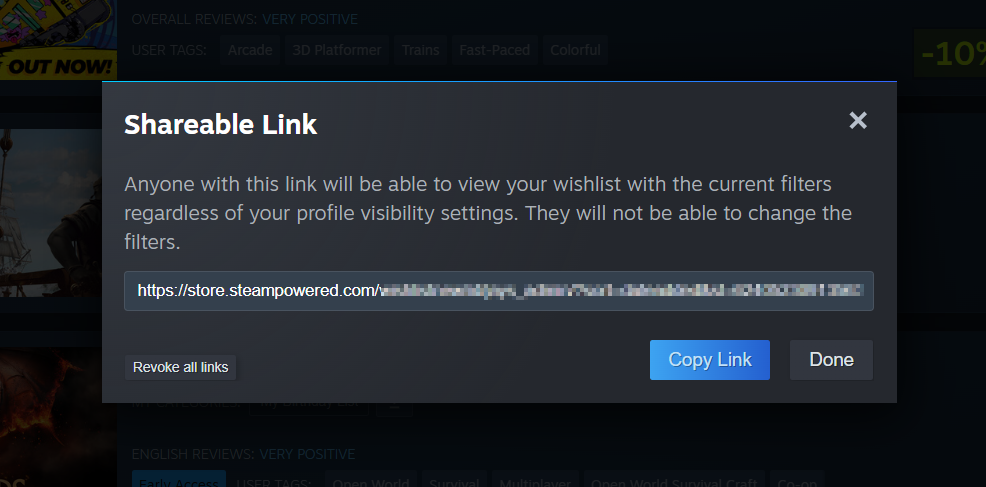
Clicking on the share button at the top of your wishlist gives you a unique URL to share with friends and family. People with the link can view the shared list even if your wishlist is set to private. Links can be revoked at any time.
This sharing link will only show the games in the your current filtered view. For example: you might want to share 'My Birthday List' with your family. From that shared link, your family can gift games directly to you, even if they don't have a Steam account...
More gifting improvements...
As we hinted at above, we suspect one common new category for wishlists will be games you want to buy for a friend or family member. With that in mind, we paired this wishlist change with a big update to gift purchasing on Steam. Check out all the gift improvements here!
What do you think of the new update? Let us know in the comments below.




Leave a Comment