
We've received a new Steam update which has updated the Workshop UI available for everyone now, with the goal of making everything just a little bit easier to use.
Applying filters no longer refreshes the page, which makes it easier to keep track of everything in the results that has changed as a result of the new filters. Saves can also be searched too, so you can quickly go back to any specific one you want to keep. Because some mods also require specific DLC to work, you can also filter the mods to exclude any that require DLC that you don't have. Several tags were changed a while ago, and this change appears to be complementing that one.
Full blog post down below.
Quote From Valve The latest update to Steam Workshop has just wrapped up a beta test period and is now deployed for everyone.
The next time you visit the Steam Workshop for your favorite game, you'll see an updated interface for browsing, searching, and filtering, making it easier and faster to explore and find great user-created mods to enhance your gaming experience.
Read on for details of this update.
Updated Home For Every Workshop
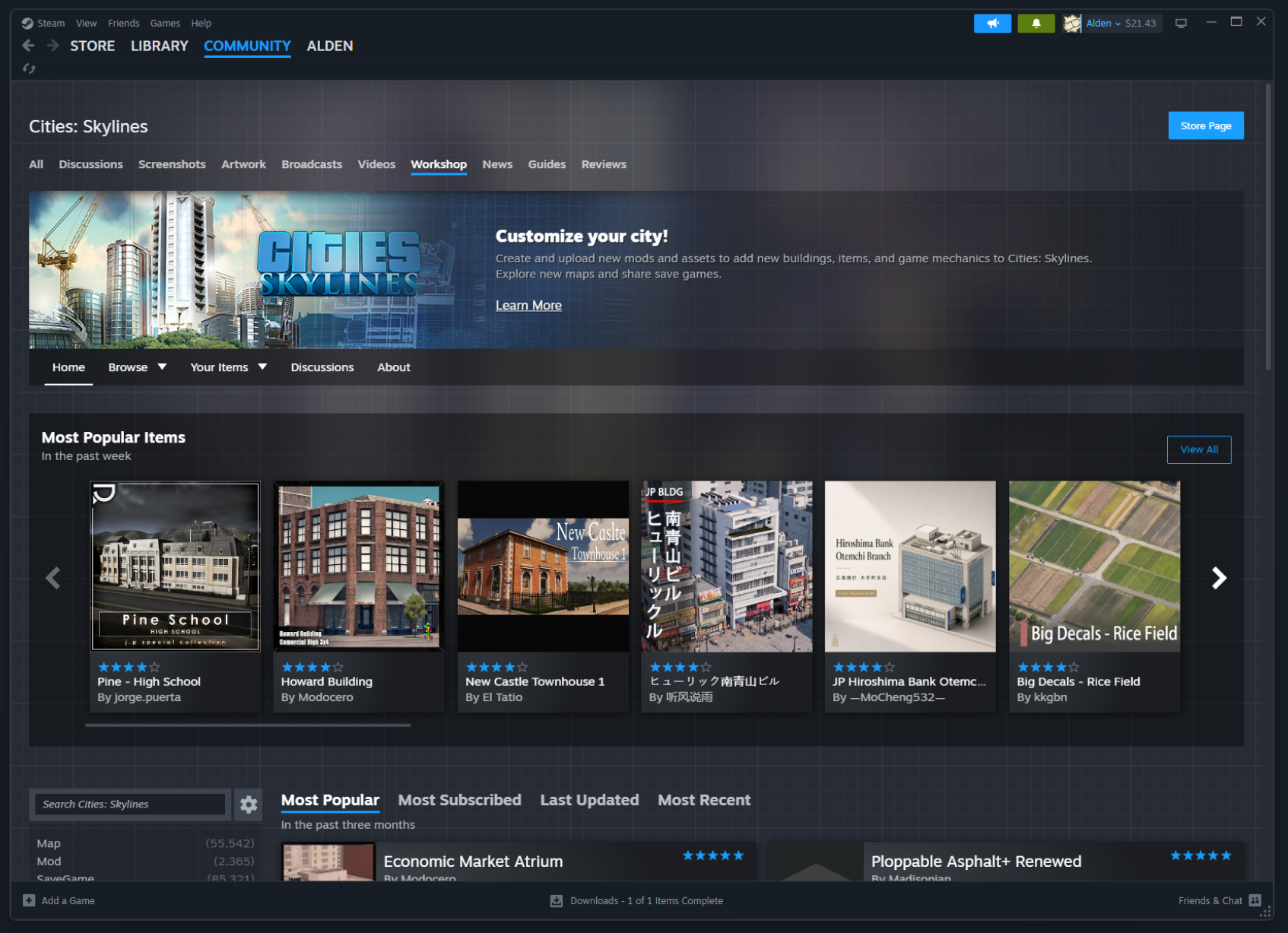
The main Workshop page for each game has a fresh new layout, which can be customized by the game's developer.
By default, the page starts off with featuring the most popular mods based on user ratings in the past week.
Next, the page lists the available item tags to quickly browse relevant content, or you can flip through the tabbed section of "Most popular", "Most Subscribed", "Last Updated", and "Most Recent"
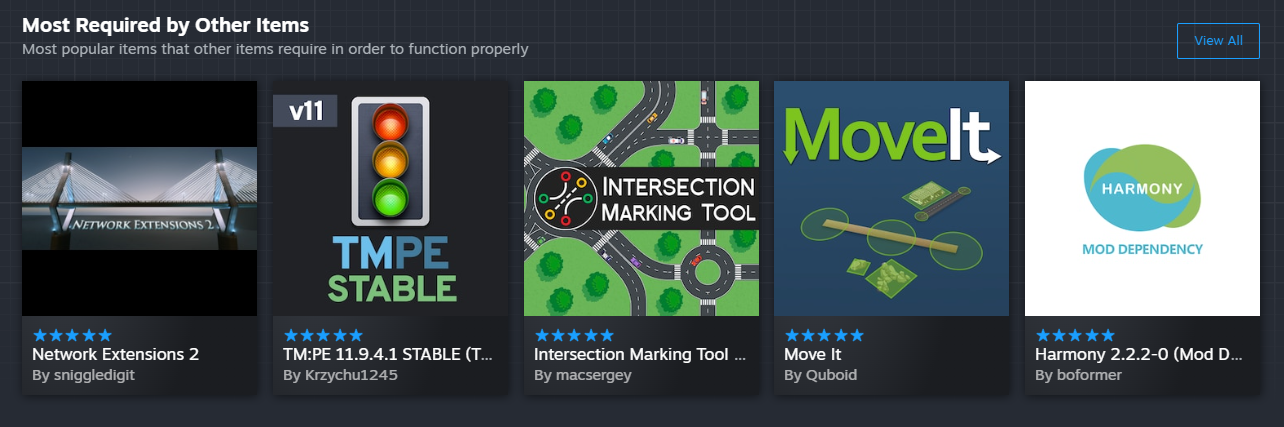
In some communities, certain items have become the foundation upon which many other mods are built, so we've added a section to highlight those important cornerstone mods that are required by other items.
And of course if you follow individual Workshop authors, or if your friends have uploaded items for that Workshop, the page will display sections for those too.
Reworked layout for browsing and filtering
We've reworked the browsing and filtering experience to make the whole thing faster and easier.
Applying filters now happens much faster and without a page refresh, so it's easier to keep track of where you are and what has changed as a result of the filters you set.
We've also redesigned the page to make better use of wider screens, allowing more items per row. Now, for most players, you'll find four or five items per row instead of the previous limitations of three.
Saved Searches
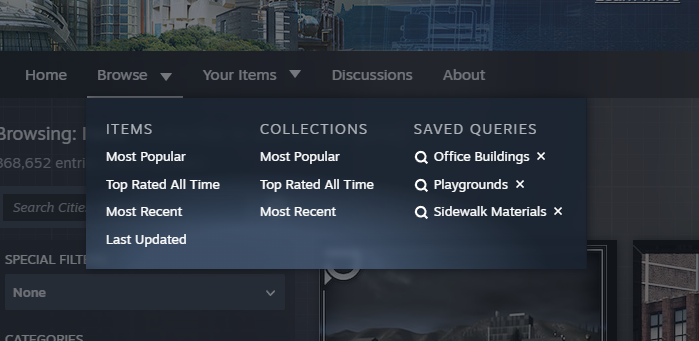
When you've applied desired filters to narrow down to a set of interesting mods, you can also save your search query to get back to it quickly from the "Browse" menu.
Powerful search: titles and/or descriptions
Now, the search within Workshop defaults to searching both the title and description fields to find your desired term. You can click the gear icon next to the search field for more options and details on constructing complex search queries to narrow in on exactly what you are looking for.
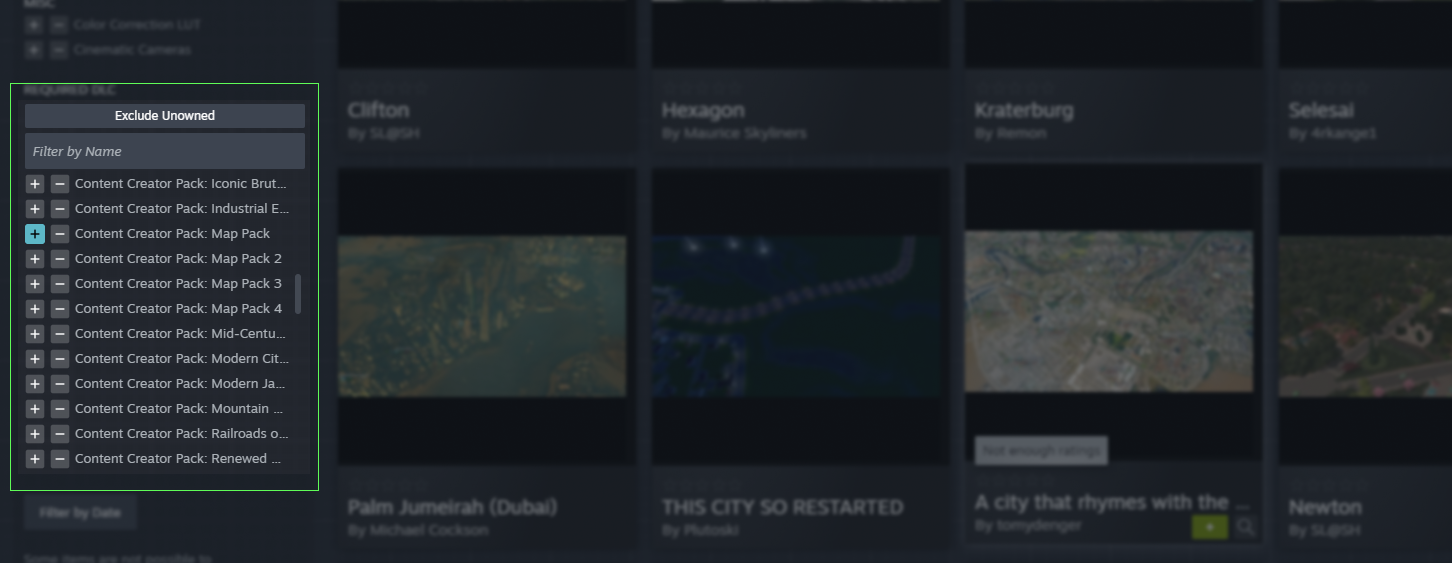
Filter by required DLC
Some mods only work with content available in specific items of DLC for the game. You can now easily narrow down your searches to exclude items that require DLC that you don't have.
New Quick View
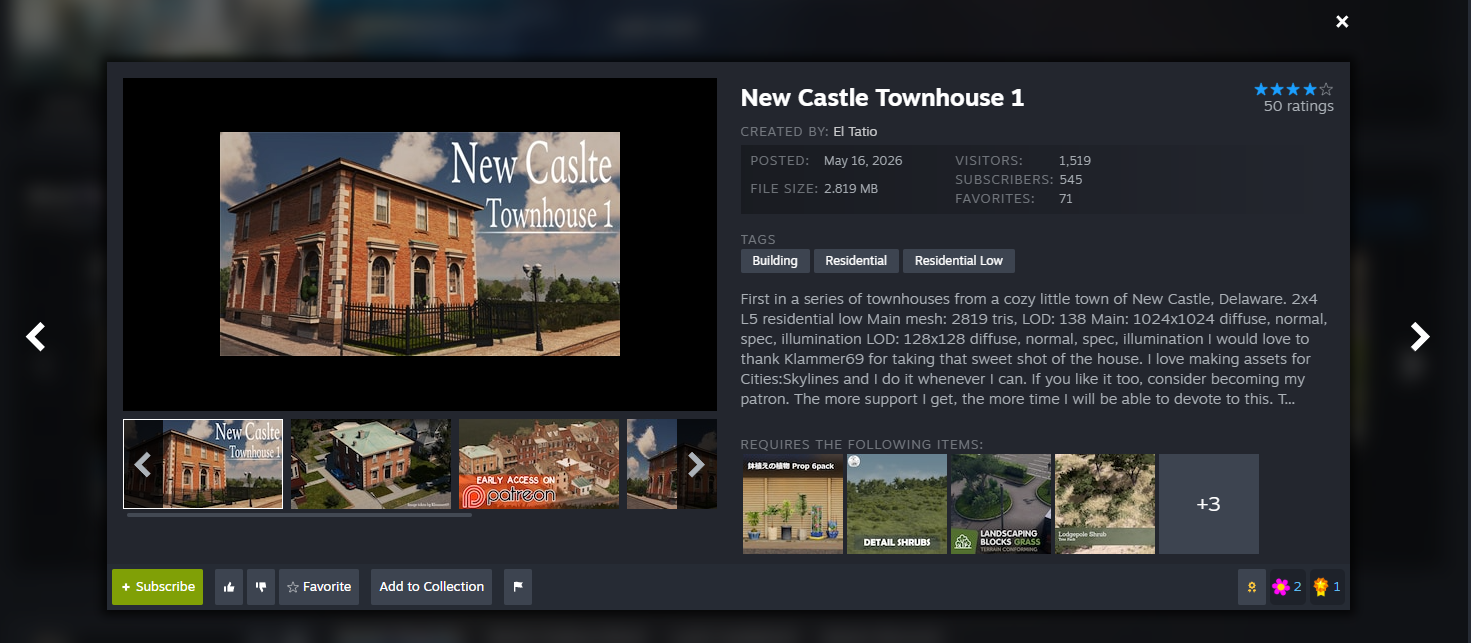
When hovering over any item in the Workshop, you'll find a new magnifying glass icon appear. Clicking that icon will open a new quick view of the item, with key details such as dates, file size, screenshots, description and ways to immediately subscribe, rate, or add to your favorites. Plus, you can use the arrows on left and right of the quick view to quickly browse through the same list of items you opened the quick view from.
In addition to description of the item you are viewing, the quick view panel also includes sections for other items or DLC that are required. You can also easily jump to all of the items that depend on the item you are looking at, as possibly an interesting way to explore some similar kinds of content.
Frequently Asked Questions
Q. What if I find a bug? How do I give feedback on the changes?
A. Leave us a comment by clicking the 'Discuss' button below.
Q. Do you plan to update other pages in the Workshop?
A. Yes, but we don't have an exact timeline for when. Once we wrap up this beta of the browsing page, we'll have a better idea of scope of work for subsequent pages.
Q. Got any random Workshop trivia?
A. Absolutely, we love random trivia. Did you know...
The mod with the most subscribers, is crashz' Crosshair Generator v3, which has been around since 2014. This mod helps players customize their crosshairs in Counter-Strike and has over 36M subscribers!
The mod that is most depended on by other mod makers: the eloquently-named CBA_A3 for Arma 3 is a toolkit that over 19,000 other mods depend on.
The Steam Workshop has 2,013 items with over 1 Million current subscribers. That is a whole lot of people customizing their gaming experience!
There are 41 different games on Steam that have at least one item in their Steam Workshop with over 1 Million subscribers. Wallpaper Engine, Garry's Mod, Project Zomboid, DayZ, and Counter-Strike 2 make up the top 5 of those.
What do you think of the Workshop change? Let us know in the comments below.

Leave a Comment