Bluetracker
Tracks Blizzard employees across various accounts.
FNM at Home, With Your Local Store, And on MTG Arena
Since publishing this article, we've expanded the FNM at Home program! You can view the second round of FNM at home events here. You should also check with your local game store to see if they're running FNM or other events online during this time.
This week, we'll begin a regular series of weekly updates detailing how we're working to connect the community to their local game stores, how we're assisting stores, and more things we're doing to support the Magic: The Gathering community during a time when "The Gathering" part has become difficult to impossible.
In the meantime, we wanted to roll out a program to begin connecting local game stores to their players as a first step. There's more to come, but we wanted to do something fun to begin forging online connections between you and your local store. That's why this week, we're kicking off Friday Night Magic at Home.
Here's how it's going to work—for the next three weekends (and possibly beyond), we will be holding Friday Night Magic events on Magic: The Gathering Arena but letting stores give out some of the rewards by creating or utilizing existing online communities. (Don't worry—if your store doesn't have an online presence, we've begun working with stores to help set up Discord servers.)
Play at home, connect to your store, earn more rewards.
Let's start with the event details:
FNM at Home (in MTG Arena)
FNM @ Home Updates
Ensuring the health and wellbeing of our employees, fans, and partners remains our top priority, and we will be continuing to support local communities and stores from the safe distance of online play. In addition to other key initiatives, we'll be continuing our FNM @ Home events into the month of May:
April 24 – Singleton
- Build a 60-card deck using Standard cards with no more than one copy of each card other than basic lands.
May 1 – Artisan
- Build a Standard deck using only common and uncommon cards.
May 8 – Pauper
- Build a Standard deck using only common cards.
May 15 – Historic Brawl
- Build a Brawl deck using any cards from Historic.
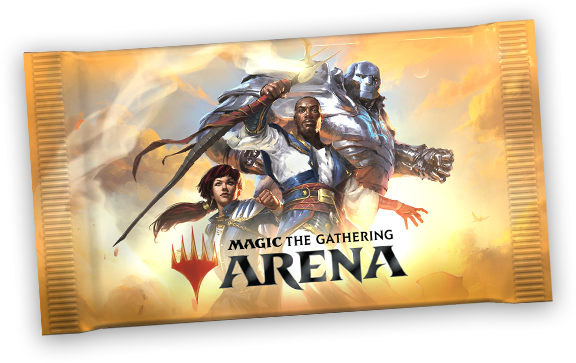
As before, these events will have no in-game entry fee and will reward rare or mythic rare individual card rewards (ICRs) for your first and second win. For those of you who connect with your participating WPN stores, you'll also be eligible to receive an additional promotional code that can be redeemed for extra in-game rewards. Starting with the April game update, these will be in the form of a MTG Arena Promo Pack code, inspired by the (you guessed it) promo packs you receive at your local store.
You'll be able to redeem up to one code every week, and each code redemption will reward you two in-game cosmetic items—including all 36* Sleeves featuring the Japanese Planeswalker alternate art, new Guild-themed sleeves, Ikoria card styles, the Tamiyo player avatar, and more!
*The Ajani sleeve will be temporarily unavailable as this sleeve was recently featured as a separate FNM Home reward.
But to fully experience these events, you need to connect online with your local game store. Here's how.
How to Get a Reward Code from Your Store
Some stores have robust online communities, and others will be forming them for the first time. If you're already part of such a community, great! Check with them and get connected.
If you aren't part of a local game store's online community, or if they don't have one set up, there are a couple ways you can get connected. One is to simply reach out to your store and ask (give them a little bit of time—many of them are getting this information today as well). Another is to head to locator.wizards.com to find your local game store's website. Not every store has a website on there right now, but our teams here are reaching out to our stores to help them set up options and connect them to our store locator. Many of them will be setting up online communities through Discord, WhatsApp, and Facebook, so you may have to join or download one of those applications.
Step-by-step, here's how it works:
- Play in the event (win or lose as much as you want)
- Take a screenshot of your event page
- Go to locator.wizards.com to find your local game store's website
- Join their social media channel
- Share your screenshot with a nice message on their channel
- Store will message you a code* through that social media channel
*Note: While supplies last. Not all stores are participating. Limit one code per account. Sharing a screenshot with your local game store does not guarantee you will receive a code.
A First Step
There is so much more we're working on to connect players to their local stores and communities, and we're hoping this is a strong first step in laying the groundwork for more in the future. Local stores, like so many other small businesses, are going to need our help during this time. Support them however you can, but also make sure you're taking care of yourself by staying connected with friends and local communities.
Wizards of the Coast
Since publishing this article, we've expanded the FNM at Home program! You can view the second round of FNM at home events here. You should also check with your local game store to see if they're running FNM or other events online during this time.
This week, we'll begin a regular series of weekly updates detailing how we're working to connect the community to their local game stores, how we're assisting stores, and more things we're doing to support the Magic: The Gathering community during a time when "The Gathering" part has become difficult to impossible.
In the meantime, we wanted to roll out a program to begin connecting local game stores to their players as a first step. There's more to come, but we wanted to do something fun to begin forging online connections between you and your local store. That's why this week, we're kicking off Friday Night Magic at Home.
Here's how it's going to work—for the next three weekends (and possibly beyond), we will be holding Friday Night Magic events on Magic: The Gathering Arena but letting stores give out some of the rewards by creating or utilizing existing online communities. (Don't worry—if your store doesn't have an online presence, we've begun working with stores to help set up Discord servers.)
Play at home, connect to your store, earn more rewards.
Let's start with the event details:
FNM at Home (in MTG Arena)
FNM @ Home Updates
Ensuring the health and wellbeing of our employees, fans, and partners remains our top priority, and we will be continuing to support local communities and stores from the safe distance of online play. In addition to other key initiatives, we'll be continuing our FNM @ Home events into the month of May:
April 24 – Singleton
May 1 – Artisan
May 8 – Pauper
May 15 – Historic Brawl
As before, these events will have no in-game entry fee and will reward rare or mythic rare individual card rewards (ICRs) for your first and second win. For those of you who connect with your participating WPN stores, you'll also be eligible to receive an additional promotional code that can be redeemed for extra in-game rewards. Starting with the April game update, these will be in the form of a MTG Arena Promo Pack code, inspired by the (you guessed it) promo packs you receive at your local store.
You'll be able to redeem up to one code every week, and each code redemption will reward you two in-game cosmetic items—including all 36* Sleeves featuring the Japanese Planeswalker alternate art, new Guild-themed sleeves, Ikoria card styles, the Tamiyo player avatar, and more!
*The Ajani sleeve will be temporarily unavailable as this sleeve was recently featured as a separate FNM Home reward.
But to fully experience these events, you need to connect online with your local game store. Here's how.
How to Get a Reward Code from Your Store
Some stores have robust online communities, and others will be forming them for the first time. If you're already part of such a community, great! Check with them and get connected.
If you aren't part of a local game store's online community, or if they don't have one set up, there are a couple ways you can get connected. One is to simply reach out to your store and ask (give them a little bit of time—many of them are getting this information today as well). Another is to head to locator.wizards.com to find your local game store's website. Not every store has a website on there right now, but our teams here are reaching out to our stores to help them set up options and connect them to our store locator. Many of them will be setting up online communities through Discord, WhatsApp, and Facebook, so you may have to join or download one of those applications.
Step-by-step, here's how it works:
*Note: While supplies last. Not all stores are participating. Limit one code per account. Sharing a screenshot with your local game store does not guarantee you will receive a code.
A First Step
There is so much more we're working on to connect players to their local stores and communities, and we're hoping this is a strong first step in laying the groundwork for more in the future. Local stores, like so many other small businesses, are going to need our help during this time. Support them however you can, but also make sure you're taking care of yourself by staying connected with friends and local communities.