




While information in this guide is still valid and you can upload your collection this way, we highly recommend you use our plugin for Hearthstone Deck Tracker to make the process automated.
This guide will show you, step by step, how to import your collection data from HSReplay.net to OutOf.Cards Hearthstone Collection.
- Login to HSReplay.net and navigate to your collection - https://hsreplay.net/collection/mine.
- Hit F12 to open your browser's console.
- Click on the console's networking tab.
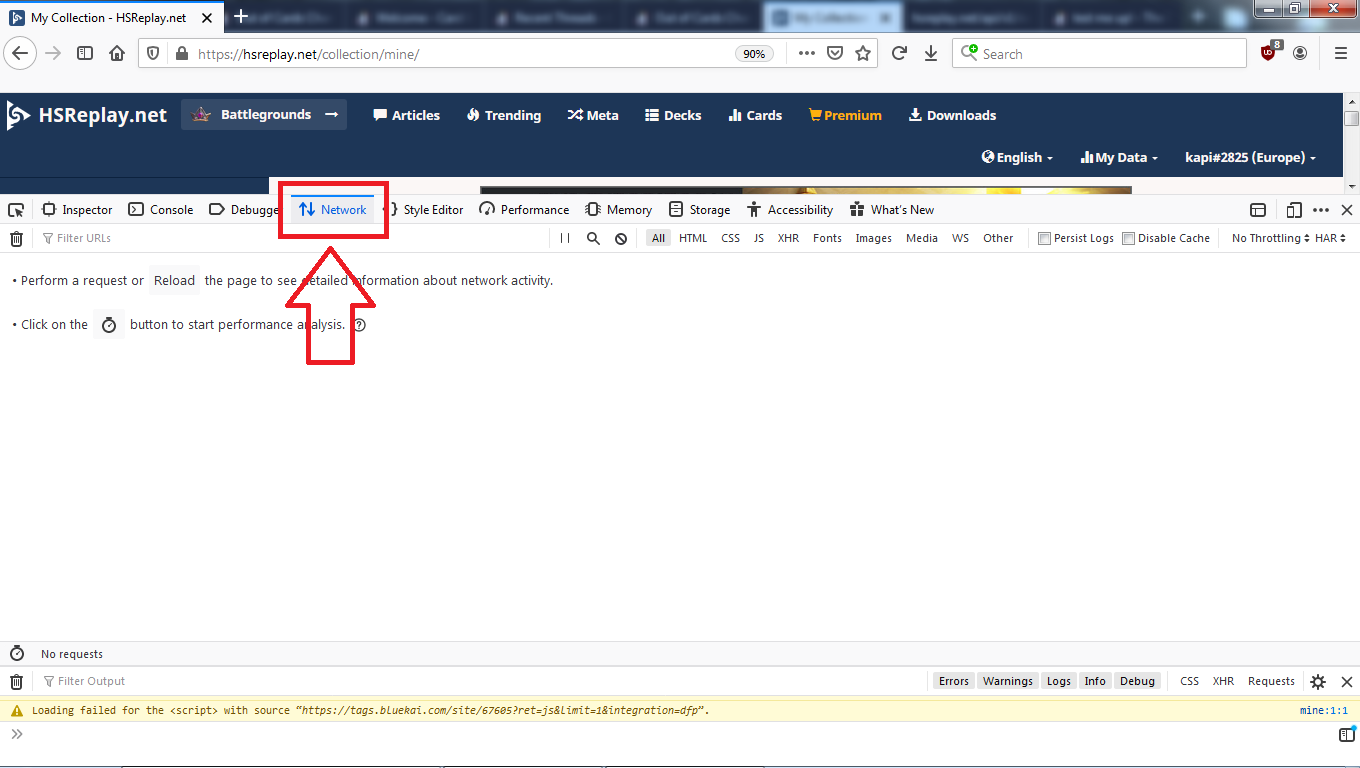
- Reload the page.
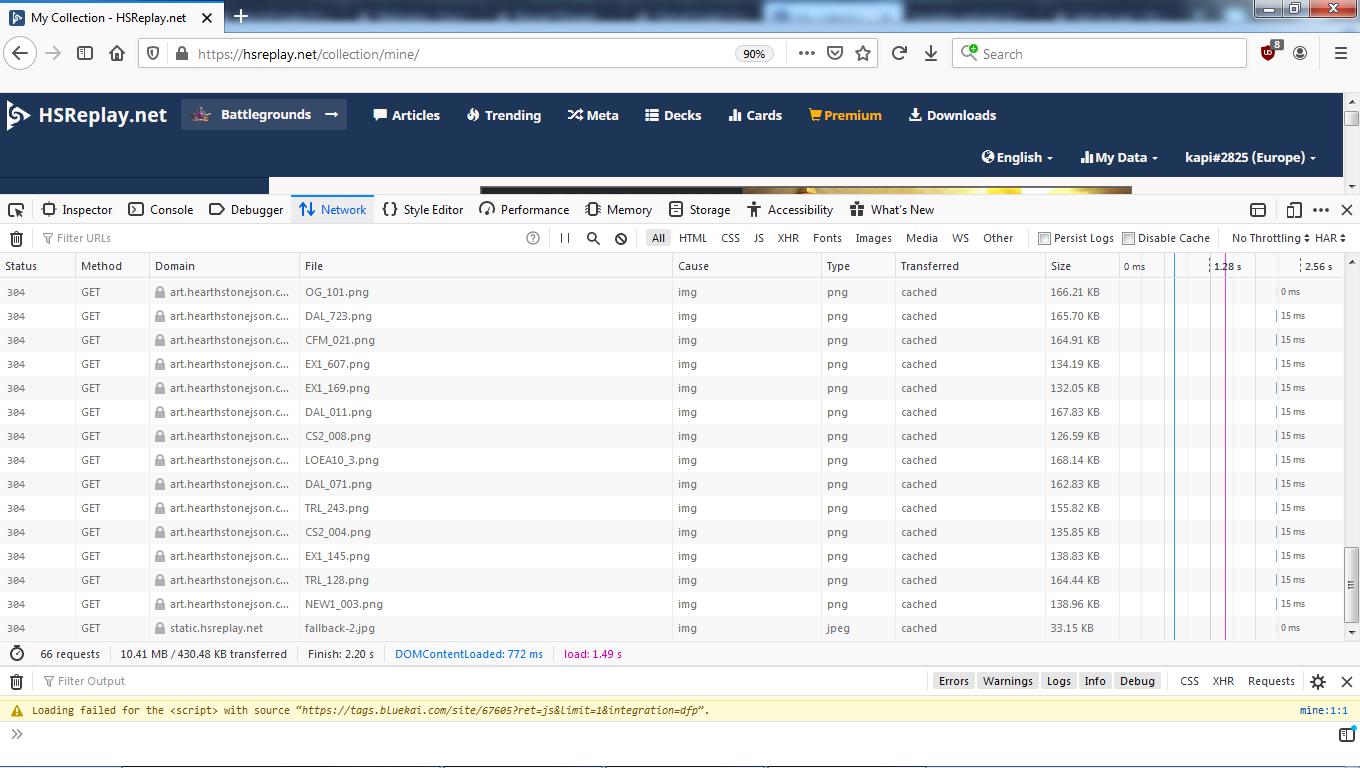
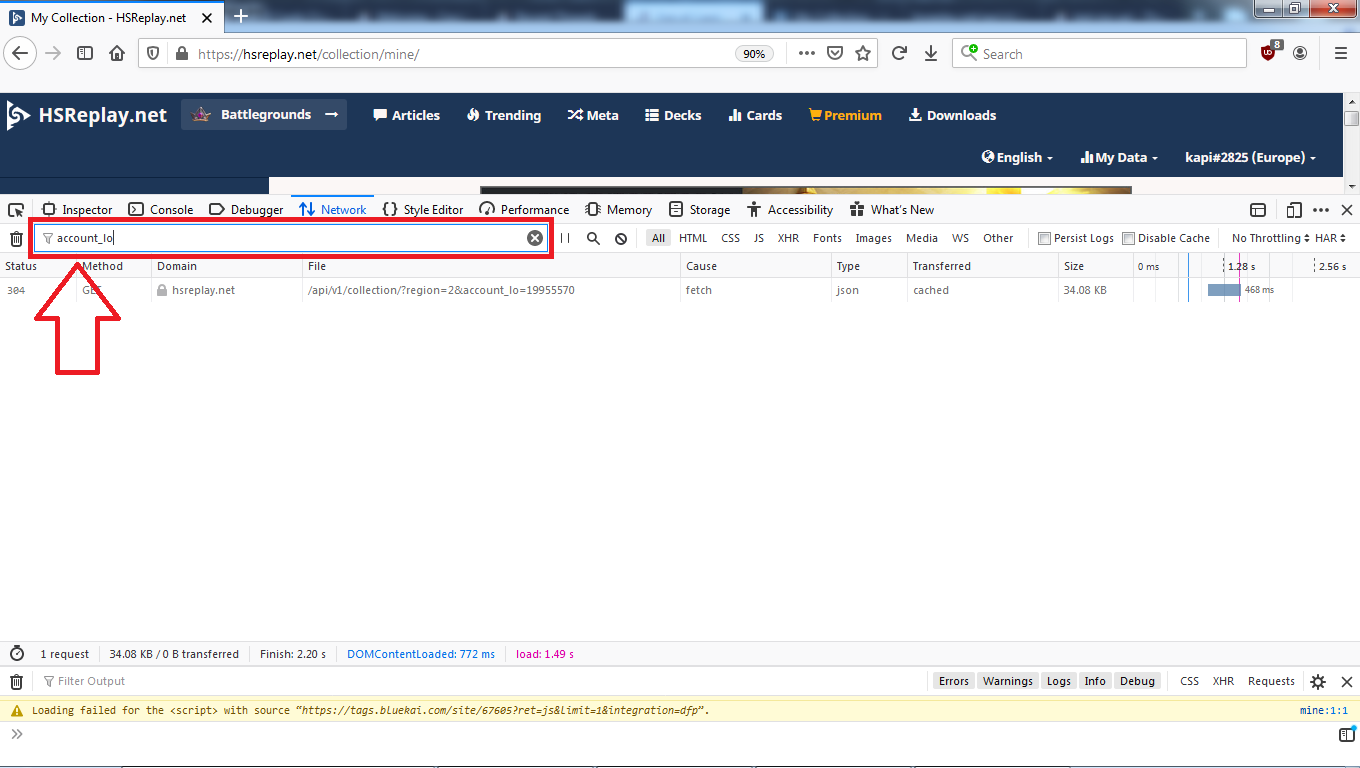
- Using the filter on the network area, search for "account_lo".
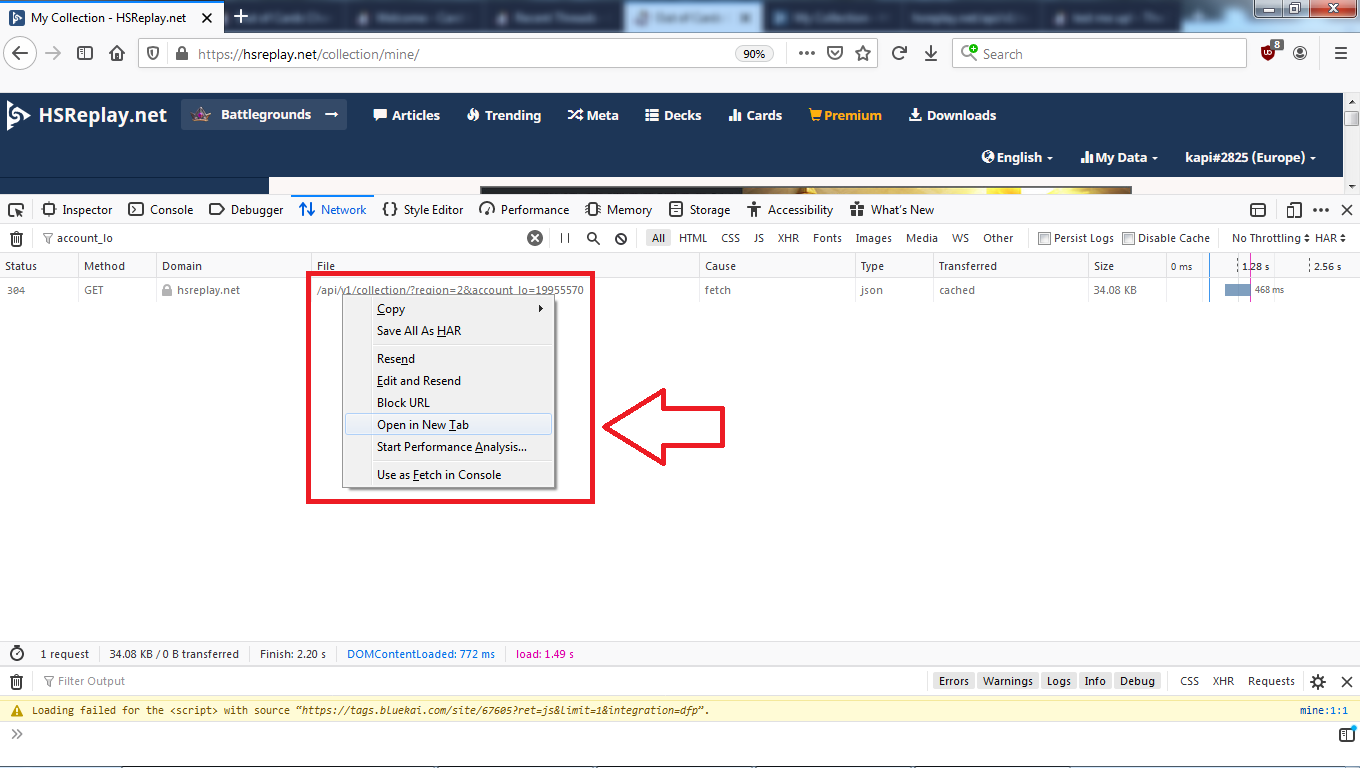
- Right-click on the URL that pops up and open it in a new tab.
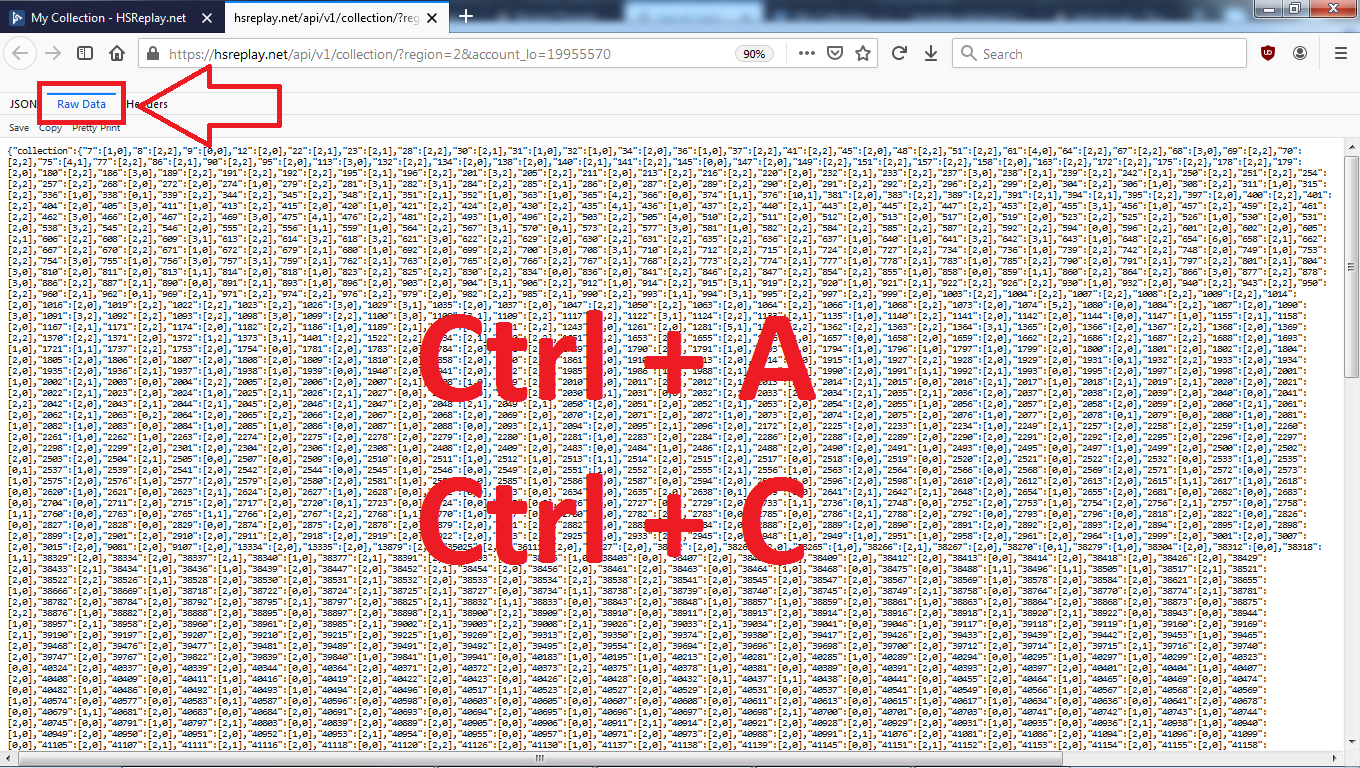
- Switch to "Raw Data" tab, select entire content of that page and copy it.
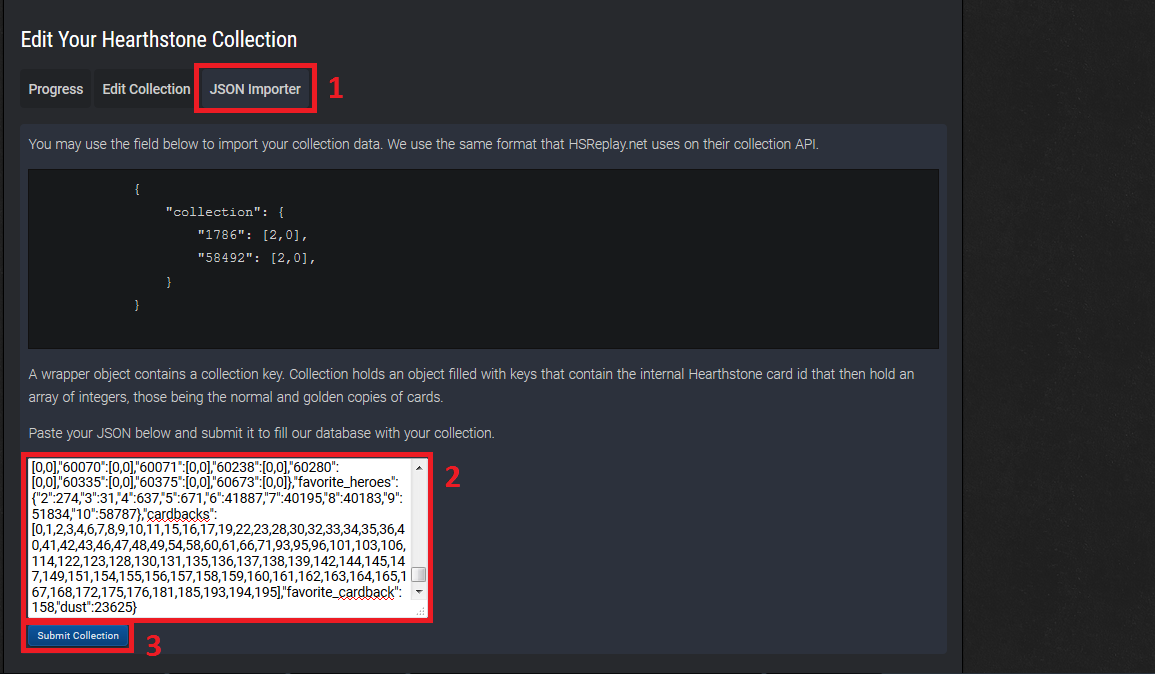
- Paste the copied content from previous step into the new field in collection management and click "Submit collection".
- A pop-up appears in top-right informing you that "Your collection is in a queue for saving. Please wait!".

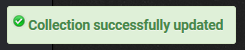
- After a while, another pop-up appears informing your that "Collection successfully updated".
- Done!
Notes:
- The JSON import is now destructive -- i.e. it clears your entire collection, then replaces it with whatever's in the JSON. You no longer need to request a manual reset. (This is very handy for those of us with Macs, since the JSON approach is the only bulk option we have right now.)
- If you do need to reset your collection manually for some reason, there's actually a way to do it yourself. Just go to My Hearthstone collection -> Edit collection. When you land there, the default search shows all your cards (every set, every rarity). Click the Bulk Remove Filtered From Collection button, and it will remove all those cards from your collection. Since these are all your cards, that leaves your collection empty.









Leave a Comment