
Steam Wallet Pending Balance? Here’s Why Your Sale Funds Are Delayed
Sold an item on the Steam Market and your funds are stuck on “Pending”? Learn why Steam holds your balance, how long it lasts, and what you can do about it.

You've just sold an item on the Steam Community Market and now your balance says its Pending. Don't worry, you're not alone and this is a completely normal problem to encounter on Steam. Let's look at why this happens and how long you can expect to wait before you get your balance.
Why is Steam Balance From Market Sales Pending?
One common problem that you may encounter when selling things on Steam's marketplace is a Pending Balance. If you were trying to quickly sell some of your Counter Strike Cases or Steam Trading Cards so you could buy one of the latest games that are on sale, this obviously is not ideal.

Plain and simple, this is a case of Valve's Security & Fraud Prevention at play and there is nothing we can do about it.
Valve hasn't come out and directly confirmed this, but it is quite common for online marketplaces to put holds on funds that have not been verified yet. This could happen if someone recently put money on their Steam account and they haven't yet had the transaction fully go through. Valve allows money to be spent instantly for a good user experience since they have the ability to reverse the purchase, or put someone's account into a soft-ban if they are using it for fraud.
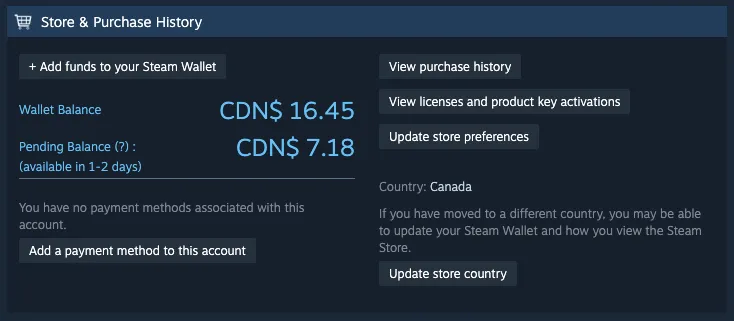
So how do you get your Pending Balance out faster? You don't. It's all a waiting game and luckily, the 1-2 day estimate is usually a longer estimate than the actual time it takes to resolve. I've personally seen pending funds go through within 30 minutes or a few hours. It's slightly annoying when you're looking to buy some other items or games, but overall a small problem; Don't wait until the last day of a Steam sale to sell things on the marketplace!
How to Check Your Pending Balance on Steam
It's quite easy to check your balance and pending balance on Steam, you just need to visit My Market History. Here's how to do that:
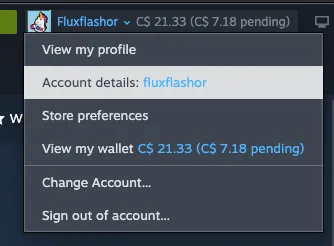
Click on your username at the top of the client and then click on "Account details".
Find the button "View purchase history" under "Store & Purchase History".
Click on the "Steam Community Market" entry that has your transactions attached to it.
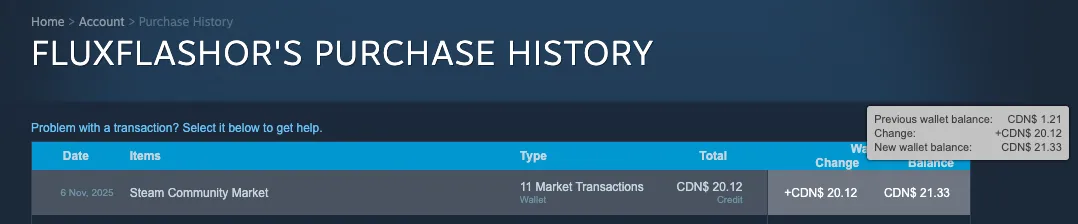
This is a bit more of a convoluted way to get to this page, but it does show you the nice breakdown of your transactions with your balance changes over time. If you want to get there without touching your account, you can simply visit the Steam Community Market page via the Community dropdown menu on the Steam client, and then click on the "My Market History" tab.
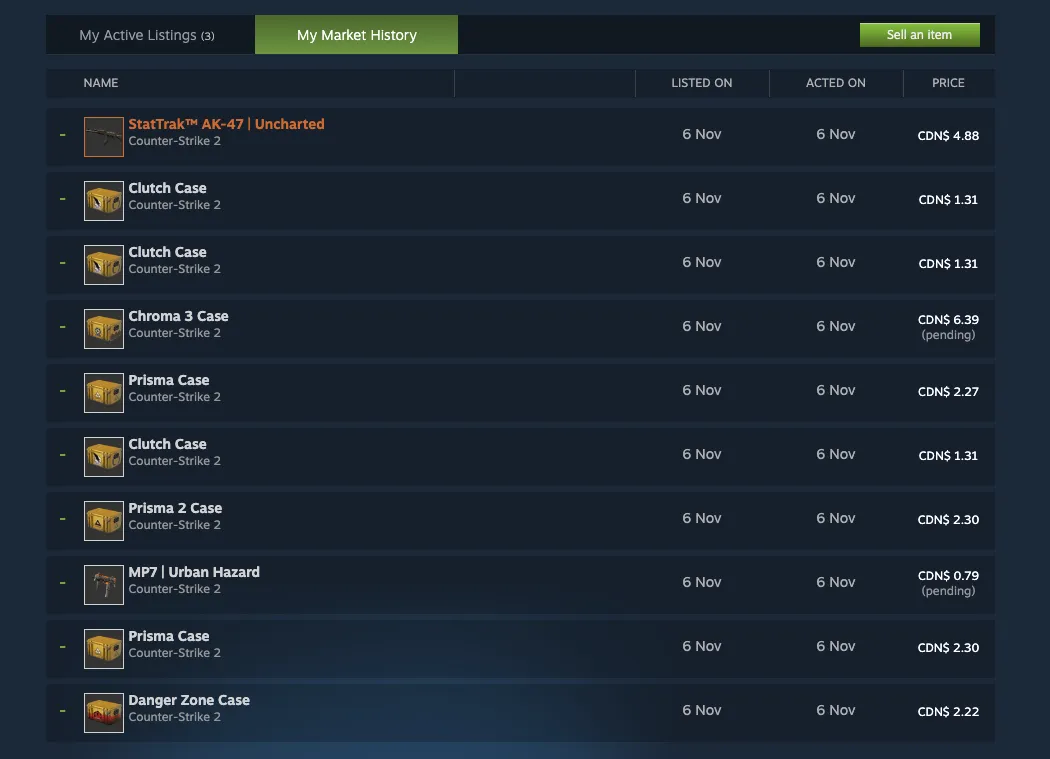
Regardless of how you get here, you will be able to see all your market transactions and which ones are flagged as pending. Does this matter much? No, not really because we can't change anything, but it is interesting to see what items people are buying that are being flagged as pending.
If Valve ever makes changes to the way Steam handles Pending Balance, we'll be sure to update this guide.
About_Author

Robert "Fluxflashor" Veitch is the founder of Out of Games. With over a decade of experience in gaming content, and being done with the exhaustion of corporate nonsense, he wanted to do something different with a focus on the community in this online world that tries so hard to just make everyone just another number. Robert is currently playing whatever interesting game shows up next. He can be contacted via direct messages.
More_Marketplace_Guides

How Standard Rotations Work in Hearthstone - Year of the Scarab

Top Money-Making Crops to Plant During Spring in Stardew Valley

Pokémon TCG Card Types Explained: Pokémon, Trainer & Energy
// join_the_conversation
Sign in to share your thoughts, vote on comments, and connect with the community.
Comments
// no_comments_found
Be the first to share your thoughts!
Leave a Comment