

Hearthstone
How To: JSON Importer for Hearthstone Collection
Updated 5 years, 11 months ago
by
sinti
This guide will show you, step by step, how to import your collection data from HSReplay.net to OutOf.Cards Hearthstone Collection.
- Login to HSReplay.net and navigate to your collection - https://hsreplay.net/collection/mine.
- Hit F12 to open your browser's console.
- Click on the console's networking tab.
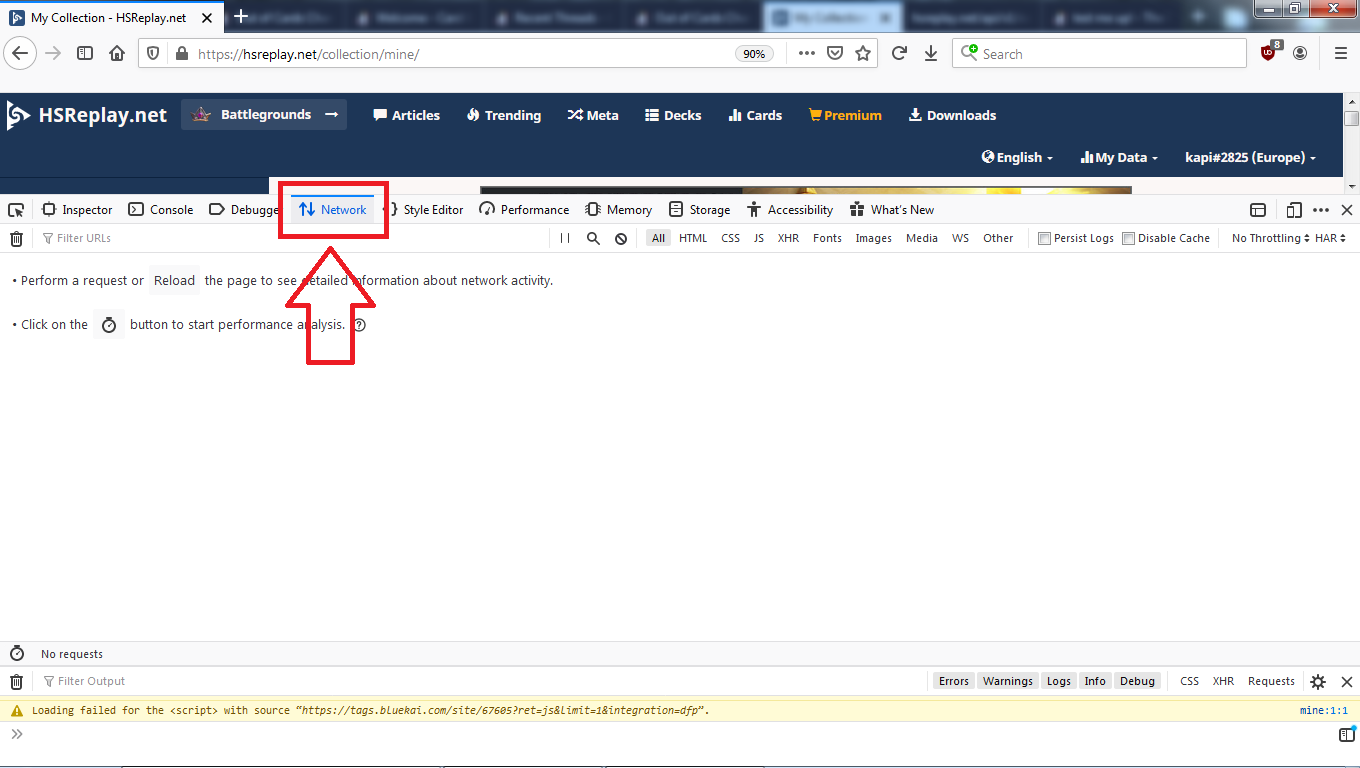
- Reload the page.
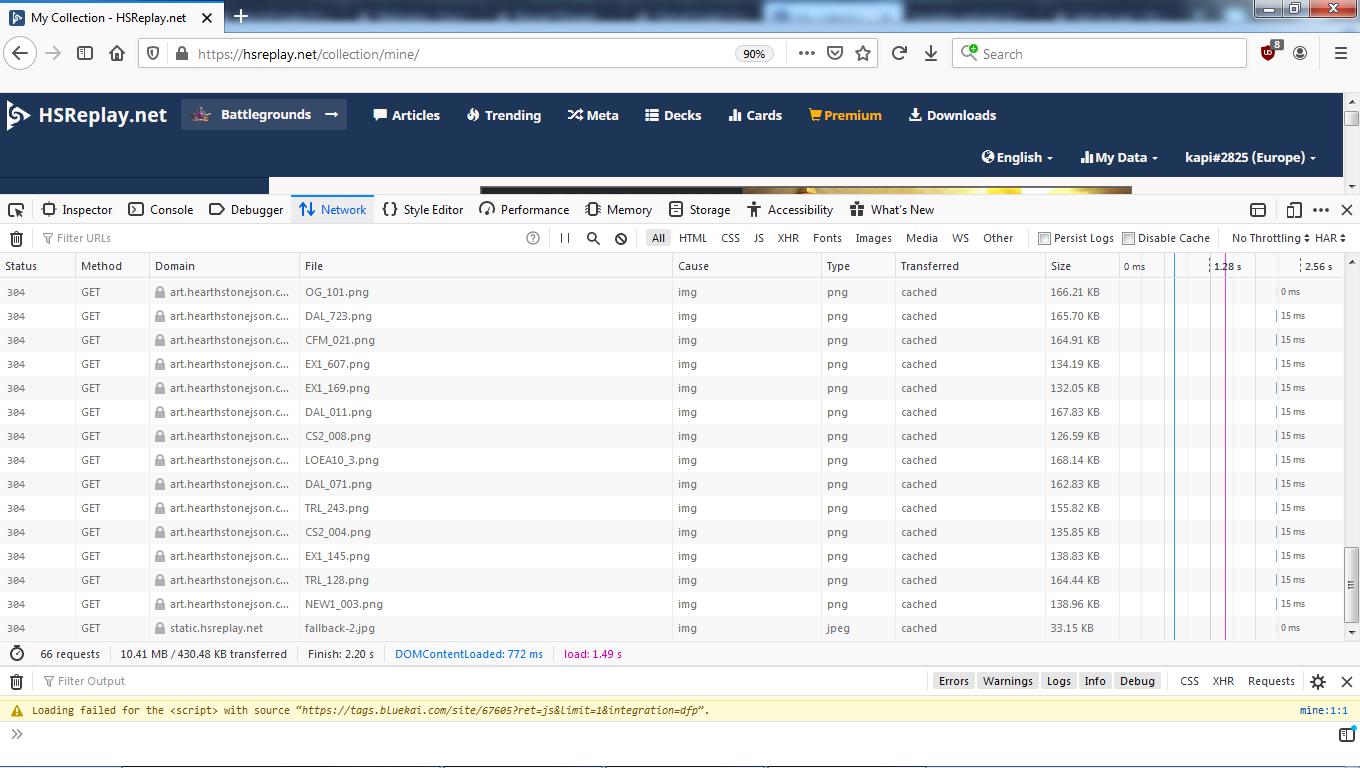
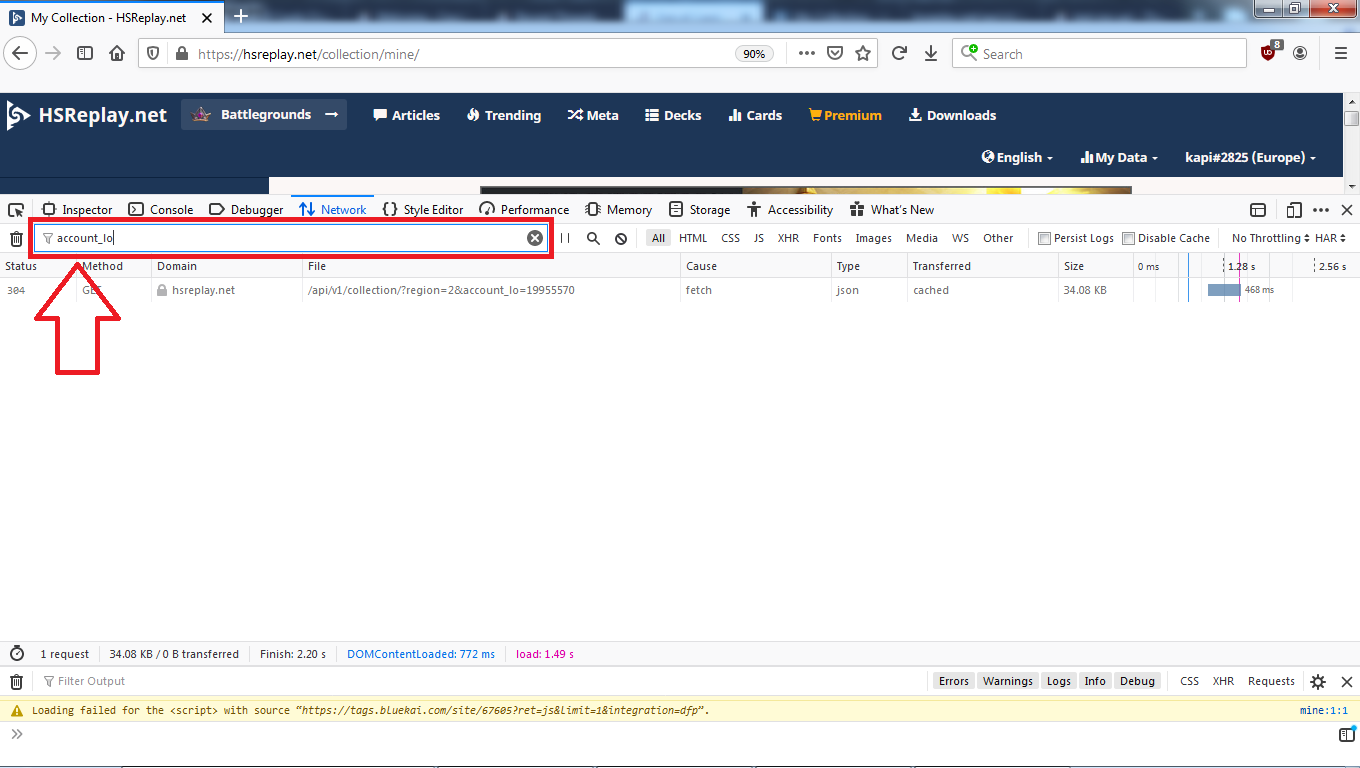
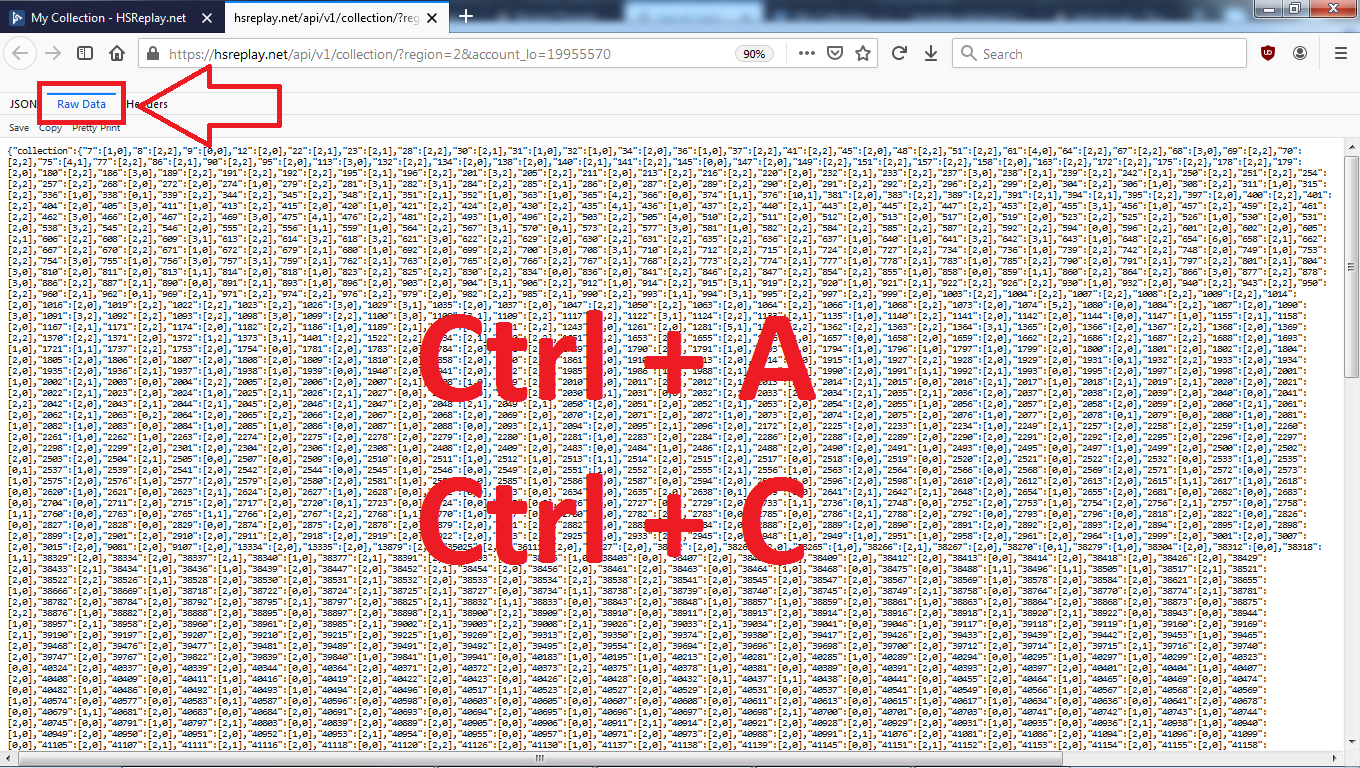
- Using the filter on the network area, search for "account_lo".
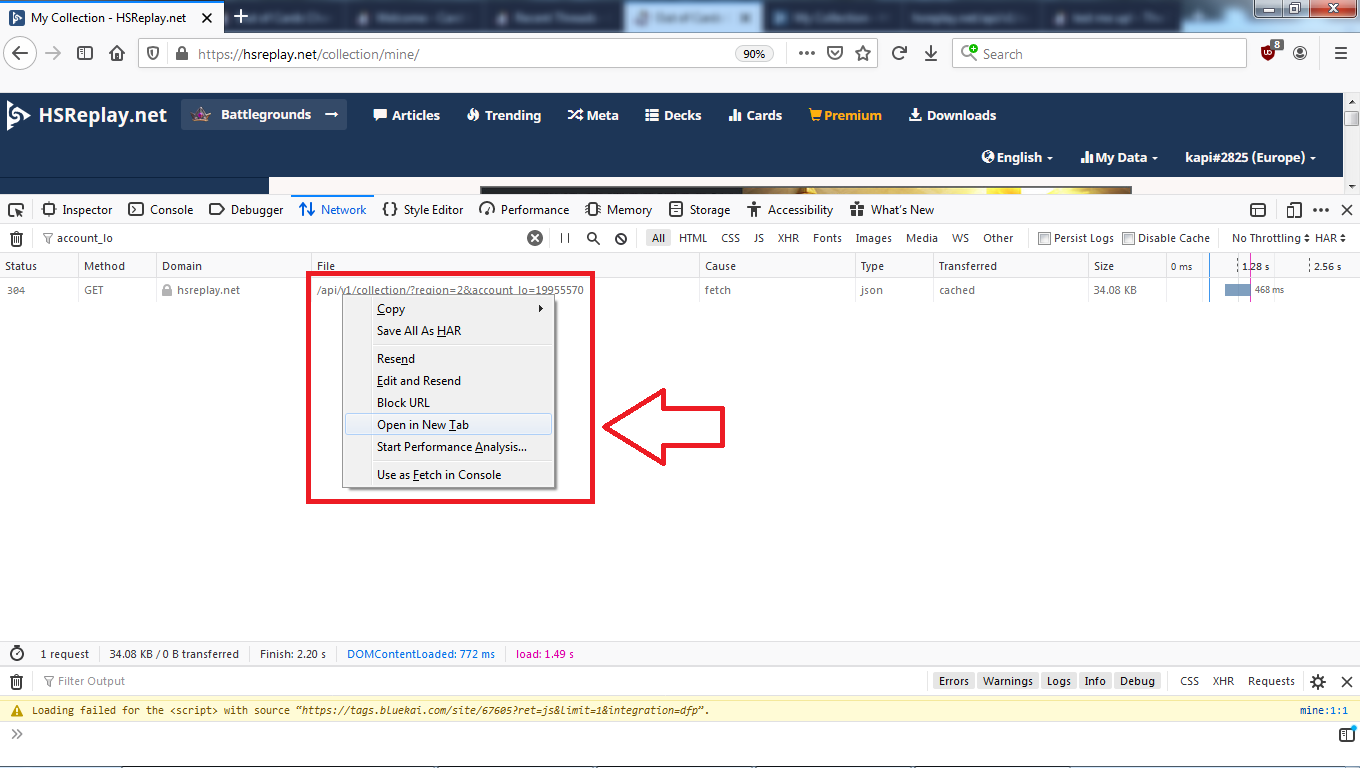
- Right-click on the URL that pops up and open it in a new tab.
- Switch to "Raw Data" tab, select entire content of that page and copy it.
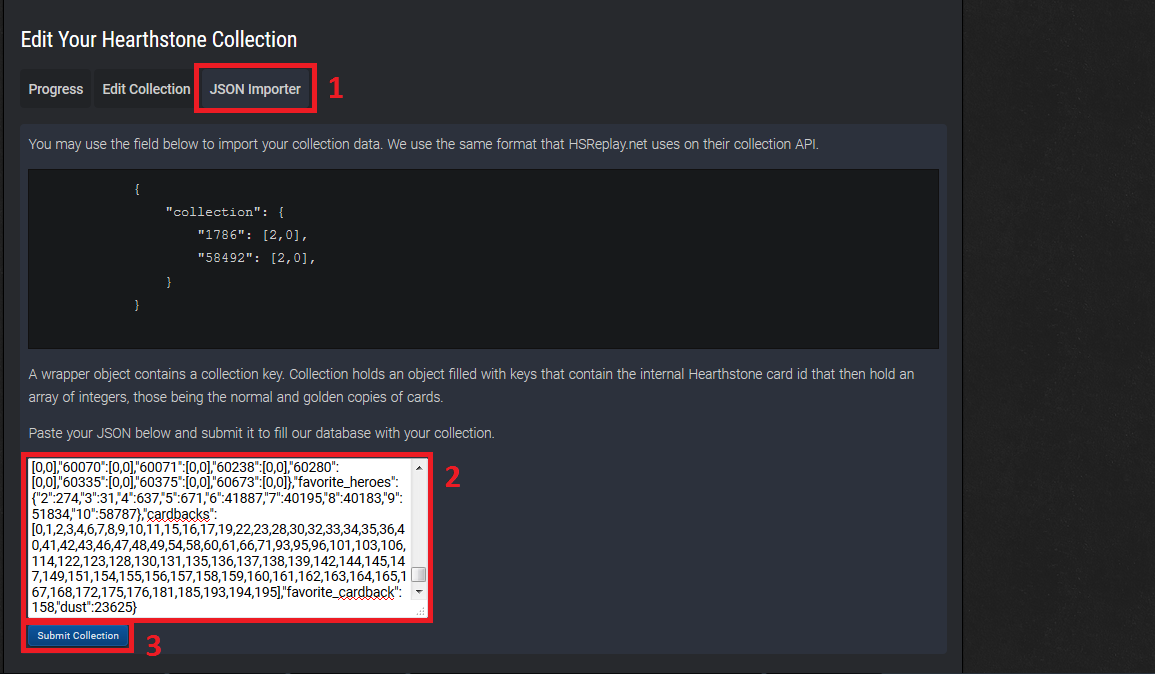
- Paste the copied content from previous step into the new field in collection management and click "Submit collection".
- A pop-up appears in top-right informing you that "Your collection is in a queue for saving. Please wait!".

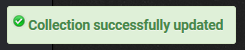
- After a while, another pop-up appears informing your that "Collection successfully updated".
- Done!
About_Author

This is a secret achievement; its description is hidden until you earn it.
More_Hearthstone_Guides

Guide to all MTG Holiday Cards
UPD Dec 31, 2025

Latest_Hearthstone_Guides

How Standard Rotations Work in Hearthstone - Year of the Scarab
UPD Mar 17, 2026

All Hearthstone Cards Revealed for Cataclysm Expansion
UPD Feb 16, 2026
Leave a Comment